Why another tool won’t fix lead leaks: the case for managed revenue recovery
Updated
If you’re a renovation contractor losing leads to missed calls and cold estimates, the answer is not another contractor CRM software subscription. CRM adoption remains a persistent challenge — industry-wide implementation failure rates are estimated at 30-70%, and a significant percentage of contractors who purchase CRM software do not fully implement it. The problem isn’t that you don’t have the right tool. It’s that you don’t have time to use any tool. You’re on a job site six days a week. You’re estimating in the evenings. You’re managing crews, suppliers, and clients simultaneously. A software platform that requires daily attention — setup, customization, scripts, testing — is not going to get your attention. And a tool that doesn’t get used doesn’t recover revenue.
Key takeaways
- Industry-wide CRM implementation failure rates run 30-70%, and contractors are particularly susceptible — the problem is time, not the tool itself.
- Speed and persistence win renovation jobs, but both require consistent execution that DIY platforms rarely deliver for busy owner-operators.
- A managed revenue recovery system handles near-instant lead response during legally permitted messaging hours, estimate follow-up, and after-hours coverage without requiring you to open a dashboard.
- One recovered kitchen or basement project can often cover a large share of annual managed-service cost, depending on project value and close rate.
What does the contractor CRM failure graveyard look like?
Contractor CRM failure refers to the pattern where renovation businesses purchase customer relationship management software with genuine intent, only to abandon or underutilize it within months because the owner-operator lacks the consistent time needed for setup, maintenance, and daily use.
Ask any renovation contractor doing $500K to $2M per year and they’ll usually tell you the same story. There’s a Jobber subscription that handles scheduling. Maybe a GoHighLevel account someone set up last year that still shows the default templates. A Buildertrend login that was supposed to streamline estimates. A Google Voice number that still rings to nobody. Each one made sense when they bought it. Each one was going to change how the business operated.
Most of them are still running in partial-configuration limbo — logging in occasionally, missing most of what they’re supposed to do, costing $100 to $300 per month in quiet tribute to good intentions.
This isn’t a discipline problem. It’s a time allocation problem. Building and maintaining these systems is a part-time job. You already have a full-time one.
What does the data say about CRM implementation failure?
| Metric | Finding | Source |
|---|---|---|
| CRM adoption failure rate (small businesses) | ~70% fail to fully implement purchased CRM | Source: Gartner CRM Research, 2023 |
| Average contractor response time | 42 minutes to first contact on a new lead | Source: industry response time benchmarks (Signpost / home services surveys) |
| First-to-respond win rate | First responder wins 35–50% of jobs in home services | Source: InsideSales.com / Velocify Research |
| Calls unanswered by contractors on job sites | 40–60% of inbound calls go unanswered | Source: Invoca State of the Call Report, 2022 |
| Contact odds at 5 min vs 30 min | 100x higher contact rate responding within 5 minutes | Source: MIT Lead Response Management Study, Oldroyd et al., 2007 |
| Estimates requiring 6–8 touches to close | Most homeowners need multiple touchpoints before deciding | Source: widely cited sales industry research |
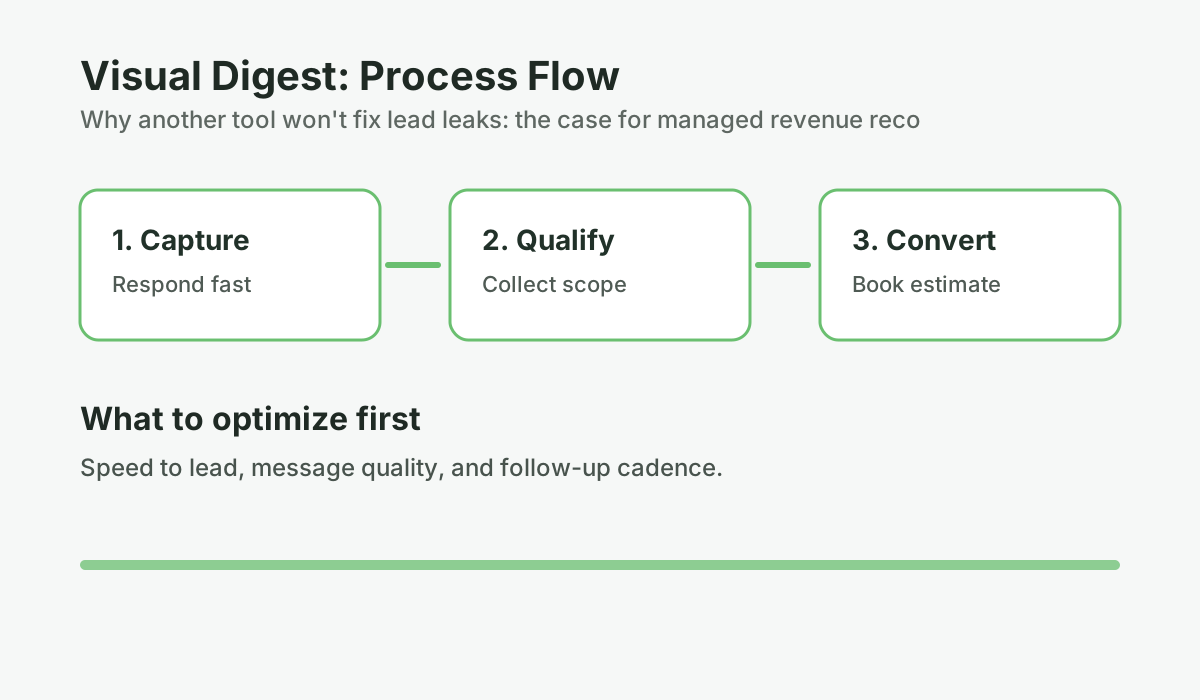
The data tells one story consistently: speed and persistence win jobs in renovation. But both of those things require consistent execution — which is exactly what contractor CRM software was supposed to deliver, and rarely does. That 42-minute average response time is a real problem — if you want to understand just how much revenue that delay costs, read about the 42-minute problem and why renovation leads go cold.
Why CRM software specifically fails contractors
To be precise, this isn’t about CRM software being bad. GoHighLevel is genuinely powerful. Jobber is excellent for managing active jobs. The issue is not capability — it’s fit.
Contractor CRM software is built on a fundamental assumption: that the person using it has time to use it. It assumes someone will:
- Log into the platform regularly to review lead status
- Write and test messaging scripts
- Set up automation workflows with correct triggers and delays
- Update lead stages as conversations progress
- Monitor performance and adjust what’s not working
- Train and maintain the AI or automation over time
For a business with a dedicated operations person or a sales team, that’s reasonable. For a renovation contractor who is the estimator, project manager, lead carpenter, and business owner simultaneously — it’s not realistic. The platform sits idle. The leads keep leaking.
How do you know if a tool or a managed service is the right fit?
Before buying any lead management system, the honest question isn’t “does this have the features I need?” It’s: “will this actually get done?”
Most software evaluations focus on capability. A managed service evaluation should focus on execution. Here’s the difference:
Software capability question: Can this automatically follow up on estimates?
Execution question: Will follow-up actually happen — and who is responsible for making it happen?
With a DIY platform, you’re responsible. With a managed service, someone else runs it. That distinction matters more than any feature set. If your estimates are already going cold without follow-up, a structured follow-up cadence can revive estimates that you thought were lost — but only if the system actually runs.
Another tool, or a system that actually runs?
Use this decision guide to figure out what you actually need: more software (that you won't use) or a managed service that delivers the outcome.
Run the numbers for your business: Use the Service vs App guide. It takes 2-3 minutes and gives you a clear baseline before your next estimate round.
What “managed” actually means
A managed revenue recovery system is a done-for-you service that handles the entire lead communication lifecycle — from near-instant first response during legally permitted messaging hours through estimate follow-up, appointment confirmation, payment reminders, and review collection — without requiring the contractor to configure, maintain, or monitor the platform.
There’s some confusion about this in the market, so it helps to be direct about what a fully managed revenue recovery system actually entails versus what most people call “managed.”
A virtual receptionist service (Smith.ai, Ruby, etc.) is managed in the sense that live humans answer your phones. But they take a message and move on. They do not follow up on the estimate you sent three weeks ago. They do not handle restricted-hour missed calls with compliant queueing and next-window response. They do not track which leads went cold and re-engage them six weeks later.
A done-for-you marketing agency sets up your funnels and runs your ads. But when a lead comes in at 10:30 on a Saturday, your response time is still whatever you can manage on Monday morning.
A fully managed revenue recovery system handles the entire communication lifecycle: near-instant first response during legally permitted messaging hours to every inquiry, persistent follow-up on every estimate, appointment confirmation and no-show recovery, payment reminders, and review collection — all running automatically, all the time, without requiring you to open a dashboard or remember to do anything.
The specific problems a managed system fixes
Here are common problems this setup addresses for renovation contractors:
Problem 1: Leads coming in while you’re on a job site
A homeowner submits a form on your website at 2:15 PM on a Tuesday. You’re mid-project. You see the notification at 5:30 and plan to call back. By the time you actually reach them — maybe Wednesday morning — they’ve already talked to two other contractors. In a market where the first responder wins 35–50% of jobs, a 16-hour response time is not a competitive strategy.
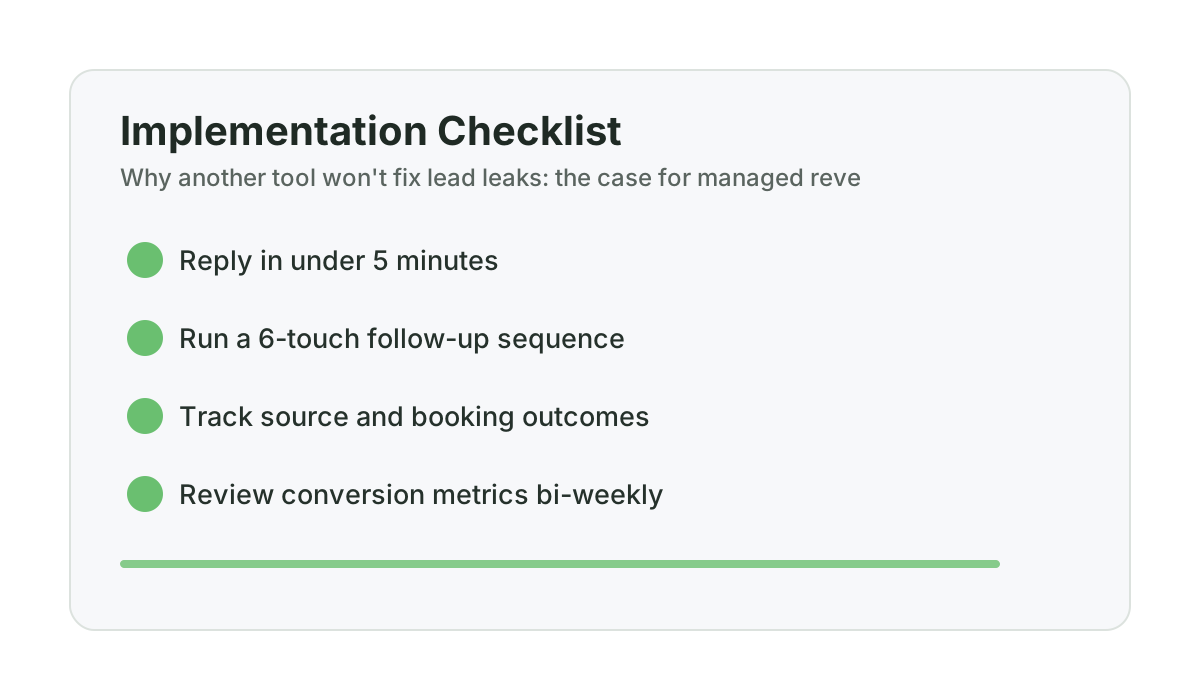
A managed system monitors inquiries around the clock, responds within seconds during legally permitted messaging hours, and queues restricted-hour inquiries for the next compliant window. Not a generic auto-reply — a conversational AI that asks about their project, qualifies the scope, and books an estimate appointment. By the time you see the notification, there’s an appointment on your calendar.
Problem 2: Estimates going cold
You send an estimate, the homeowner says they’ll think about it, and then life happens on both sides. Two weeks later you remember you should follow up but feel awkward about it. Three weeks later they’ve hired someone else — not because your price was too high, but because the other contractor followed up and you didn’t.
A managed system sends six to eight follow-up touches over six weeks automatically. Not pushy messages — professional check-ins that feel natural. Most contractors who use one are surprised to find that 20–30% of jobs they thought were lost were actually still deciding.
Problem 3: After-hours and weekend leads disappearing
Industry call tracking data suggests that 25-40% of renovation inquiries come in outside business hours. Evenings, weekends, holidays. These homeowners are shopping when they have time to shop — which is usually when you’re not available to respond. Without an automated system, those leads either wait until Monday (during which time they’ve called your competitors) or they do not hear back at all. If you want to understand the full revenue impact of missing these leads, this guide to after-hours lead capture for contractors breaks down the numbers.
How do managed service costs compare to DIY tools?
This is where the numbers matter. Contractors sometimes hesitate at the cost of a managed service. Here’s the actual comparison:
| Solution | Monthly Cost | Annual Cost | What You Get | What’s Missing |
|---|---|---|---|---|
| GoHighLevel (DIY) | $97–$297 | $1,164–$3,564 | Powerful platform with full automation capability | Setup, scripts, training, ongoing management — all on you |
| Jobber / HouseCall Pro | $49–$199 | $588–$2,388 | Excellent job management and scheduling | Not built for lead conversion — it manages jobs you’ve already won |
| Smith.ai / Ruby Answering | $140–$600+ | $1,680–$7,200+ | Live phone answering during business hours | Takes messages only; no estimate follow-up, no after-hours AI |
| Hiring office staff | $3,500–$5,000+ | $42,000–$60,000+ | Dedicated person for communication | Business hours only; management overhead; turnover risk; no compliant after-hours coverage |
| Managed Revenue Recovery System | $997 | $11,964 | AI response with around-the-clock monitoring, fast response during legally permitted messaging hours, restricted-hour queueing to the next compliant window, full follow-up sequences, CRM, and reporting — fully managed | Not a project management tool; doesn’t replace Jobber for job management |
One recovered kitchen renovation at $45,000 pays for over three years of a managed service. One recovered basement at $55,000 pays for more than four. Most contractors in this range send 15 to 40 estimates per month with close rates stuck in the low 20s — meaning many estimates go cold without follow-up. Even recovering one additional job per month changes the math significantly.
What this isn’t a case for
I’m not arguing that software is bad or that you shouldn’t use it. Jobber is excellent at what it does. If you need to manage job schedules, track crew time, and send professional invoices, it’s worth every dollar. GoHighLevel is a legitimate platform — the contractors who do implement it fully can get great results. The question is whether you have the time and infrastructure to implement it.
This is also not an argument against hiring office staff. If you’re at $2M or above and have the volume to justify it, a dedicated person adds things no automated system can — judgment, relationship management, and the ability to handle genuinely complex situations. The constraint is cost, management overhead, and the fact that even a great office employee doesn’t work nights and weekends.
The case for managed revenue recovery is specifically for the contractor who:
- Has enough lead volume to be losing real revenue to poor response and follow-up
- Doesn’t have time to implement and maintain a DIY platform
- Has tried software before and found it sitting unused
- Wants the problem solved without adding another thing to manage
If that’s your situation, buying another tool is unlikely to fix it on its own. Getting someone to run the system for you is usually the better option.
Frequently asked questions
Why do most contractors fail to implement CRM software?
The primary reason is time, not capability. Renovation contractors are managing job sites, crews, suppliers, and client relationships simultaneously. Properly implementing CRM software — writing scripts, setting up automations, testing workflows, and maintaining the system over time — requires consistent attention that most owner-operators simply don’t have. The software sits in partial-setup limbo and doesn’t deliver the promised results.
What is a managed revenue recovery system, and how is it different from CRM software?
A managed revenue recovery system is a done-for-you service that handles your entire lead communication lifecycle — near-instant AI response during legally permitted messaging hours to every inquiry, automated follow-up on estimates, appointment reminders, payment reminders, and review collection. The difference from contractor CRM software is that you don’t manage it. A team sets it up, trains the AI on your specific business, runs the sequences, and optimizes performance over time. Your only job is to read a bi-weekly report and respond to escalation notifications.
Is a managed service worth it compared to hiring a part-time office person?
The cost comparison favors a managed service for most contractors. A part-time office employee typically costs $1,500 to $2,500 per month including employer costs, covers only business hours, requires management, and introduces turnover risk. A managed AI system provides around-the-clock monitoring, fast response during legally permitted messaging hours, and restricted-hour queueing to the next compliant window at a fraction of the cost and does not call in sick. The tradeoff is that a human can handle nuanced situations an AI can’t — so many contractors eventually run both once they’ve grown enough to justify the headcount.
Does a managed revenue recovery system replace Jobber or similar job management software?
No. These systems serve different purposes. Jobber and HouseCall Pro manage jobs you’ve already won — scheduling, crew management, invoicing. A revenue recovery system manages the communication before and during the sales process: responding to inquiries, following up on estimates, confirming appointments, and re-engaging cold leads. They’re complementary, not competing.
How long does it take to get a managed system running?
A properly structured onboarding process takes about three weeks. The first week covers setup — getting your business number provisioned, training the AI on your services, pricing approach, and FAQs. The second week is a soft launch where the AI suggests responses and you approve them before they send, so you can verify accuracy. By week three, the system runs autonomously and you receive escalation notifications only when human judgment is needed.
Want help applying this to your pipeline?
Use the matching diagnostic tool first, then book a quick strategy call if you want a done-for-you rollout.

Mashrur Rahman
Founder, ConversionSurgery
I build revenue recovery systems for renovation contractors. After seeing how much money remodelers lose to slow follow-up and missed calls, I built a managed service that handles lead response, estimate follow-up, and after-hours capture automatically. The data in these articles comes from running these systems across real contracting businesses.
Related reading
How owner-operator contractors scale without hiring office staff first
How growth-stage contractors remove owner bottlenecks in lead handling and follow-up before hiring expensive admin headcount.
Buildertrend, Houzz, or done-for-you revenue recovery: decision guide for $500K-$3M remodelers
A practical buying framework for remodelers evaluating Buildertrend, Houzz, and managed revenue recovery models.
Jobber vs managed revenue recovery: what each actually solves for renovation contractors
Jobber is not wrong. It just solves a different part of the pipeline. Here is where each model fits and where gaps remain.