Questions to ask before you buy any lead tool
Updated
Before you buy any contractor lead management tool — a CRM platform, an answering service, an AI chatbot, a managed service, or anything else — there are ten questions worth asking. Not all of them will favor any single type of solution. Some favor DIY platforms. Some favor managed services. Some favor hiring a person. The goal of this guide is to help you make a better decision, whatever that decision turns out to be. A purchase that’s wrong for your situation costs you time, money, and whatever leads slip through while you’re trying to make the thing work. Getting this right once is worth more than buying cheap and discovering the wrong fit six months later.
Key takeaways
- The most important question before buying any contractor lead management tool is: who specifically will own the implementation and ongoing maintenance?
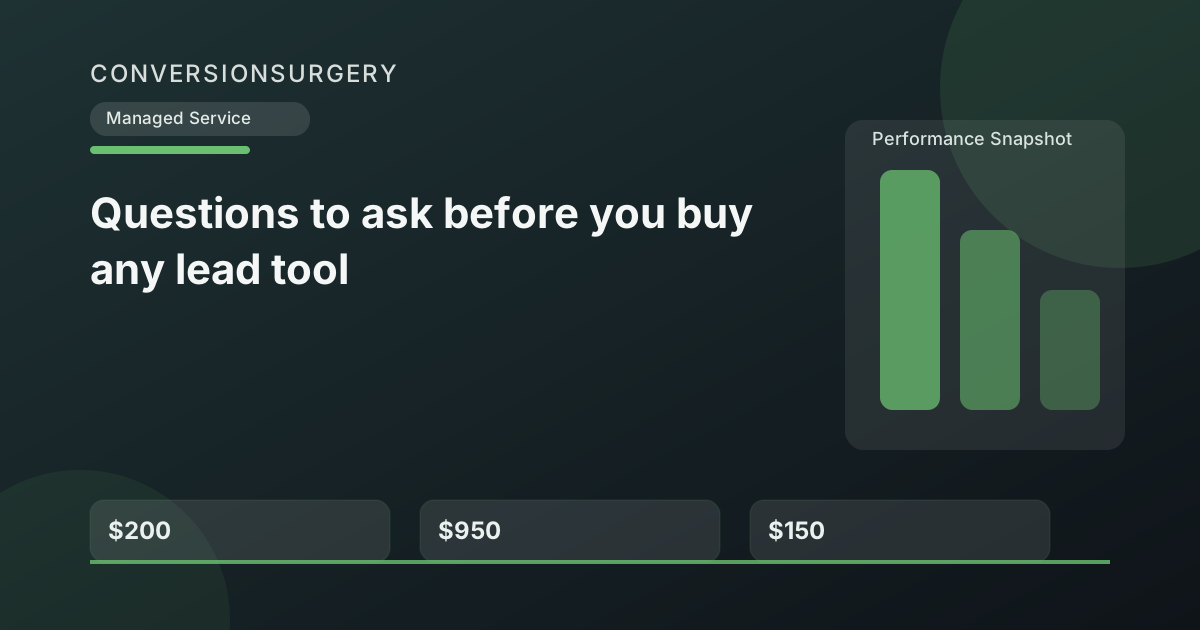
- A DIY platform at $200/month that requires 5 hours of your time per month actually costs $950/month or more when you value your time at $150/hour.
- 25-40% of renovation inquiries arrive outside business hours — any solution covering only 9-to-5 leaves a significant share of leads unaddressed.
- Define specific success metrics before you buy, not after — response time, booking rate, close rate, and recovered leads in the first 30 days.
- Avoid annual contracts without exit clauses and vendors who don’t offer performance guarantees with measurable terms.
What are you actually choosing between in the contractor lead management tool market?
A contractor lead management tool is any software, service, or system designed to help renovation businesses respond to new inquiries, follow up on estimates, and convert leads into booked jobs — ranging from DIY automation platforms to live answering services to fully managed AI systems.
When contractors look for help with lead response and follow-up, they’re typically choosing between five categories of solution. Here’s an honest summary before the questions:
| Solution Type | Examples | Monthly Cost | Core Strength | Core Limitation |
|---|---|---|---|---|
| DIY automation platform | GoHighLevel, ActiveCampaign, Keap | $97–$297+ | Full capability if implemented; highly customizable | Requires setup, maintenance, and ongoing attention to deliver results |
| Job management software | Jobber, HouseCall Pro, ServiceTitan | $49–$249+ | Excellent for managing active jobs, scheduling, invoicing | Not designed for lead conversion — manages work you’ve already won |
| Live answering service | Smith.ai, Ruby Receptionists, Abby Connect | $140–$600+ | Human-answered calls; professional first impression | Takes messages and transfers calls only; no follow-up, no booking, business hours focused |
| Managed AI revenue recovery | ConversionSurgery, similar services | $500–$1,500+ | With around-the-clock monitoring, fast response during legally permitted messaging hours, restricted-hour queueing to the next compliant window, and done-for-you operation | Higher monthly cost; less customization control than DIY; 3-week onboarding |
| Hiring office staff | Part-time or full-time coordinator | $1,500–$5,000+ | Human judgment; relationship management; multi-role flexibility | Business hours only; management overhead; turnover risk; highest cost |
Now, the ten questions.
Question 1: Who is going to own the implementation?
This is the most important question and almost nobody asks it before buying. Every platform demo makes implementation look straightforward. The reality is that configuring automation workflows, writing and testing scripts, and connecting a system to your actual business takes time — usually several weeks of consistent effort.
Ask yourself: who specifically will own this? “Me, when I have time” is not an answer — it’s a warning sign that the platform will sit partially configured. If the answer is a specific person with actual time allocated, a DIY platform is viable. If the answer is nobody in particular, you’re evaluating the wrong category of solution.
Favors: Managed service, live answering service (minimal implementation required)
Question 2: What hours does the problem actually occur?
Most renovation contractors lose a significant portion of leads outside business hours — evenings, weekends, and holidays. Industry call tracking data suggests that 25-40% of renovation leads come in outside the 9-to-5 window. Source: industry call tracking data (home services surveys)
Before choosing a solution, map when your inquiries actually arrive. Check your contact form submissions, Google Business Profile message timestamps, and missed call logs by time of day. If a substantial portion of your lead volume is coming in outside hours, any solution that covers business hours only addresses half your problem at best. For a deeper dive into this specific problem, see the after-hours lead capture guide for contractors.
Favors: AI systems with around-the-clock monitoring, fast response during legally permitted messaging hours, and restricted-hour queueing to the next compliant window (managed or DIY), not live answering services or office staff
Question 3: What specifically needs to happen that isn’t happening now?
“We need better lead management” is not specific enough to make a good purchase decision. The actual problem is one or more of these specific failures:
- Calls going unanswered while on the job site
- Slow response to web form inquiries
- After-hours leads getting no response until the next business day
- Estimates going cold because follow-up doesn’t happen
- Appointments not being confirmed, leading to no-shows
- Invoices going unpaid because reminders aren’t sent
- No review collection process after job completion
Write down the specific failures you experience most often, in order of frequency and revenue impact. Then evaluate each solution against that specific list — not against its feature catalog in general.
Note: Job management software solves none of the items on the above list. Those are all pre-job-won problems. If you’re considering Jobber as a lead management solution, it won’t address any of them.
Another tool, or a system that actually runs?
Use this decision guide to figure out what you actually need: more software (that you won't use) or a managed service that delivers the outcome.
Run the numbers for your business: Use the Service vs App guide. It takes 2-3 minutes and gives you a clear baseline before your next estimate round.
Question 4: How much ongoing time does this contractor lead management tool require?
Every solution has an ongoing time requirement, not just a setup cost. Some are low (read a report once every two weeks). Some are medium (approve messages daily for two weeks, then minimal). Some are high (log in regularly, monitor dashboards, adjust sequences, troubleshoot issues).
Be honest about what you’ll actually sustain. If you’re running a $1M renovation business doing 50-hour weeks, committing to 30 minutes of daily platform management is a commitment you probably won’t keep. Factor this into your evaluation, not just the onboarding requirement.
Ask the vendor directly: What’s the ongoing time requirement after setup? What do you expect me to do every week? What happens if I don’t log in for a month?
Question 5: What does “AI” actually mean in this context?
In contractor lead management, “AI” can range from simple rules-based auto-replies that send predetermined messages when triggered, to genuine conversation AI that understands context, asks qualifying questions, handles objections, and works toward booking an estimate — the difference in performance between the two is significant.
“AI” is attached to almost everything in marketing software right now. It can mean anything from genuine goal-oriented conversation AI to simple rules-based auto-replies with “AI” in the marketing copy. The difference matters enormously for how conversations go.
A rules-based auto-responder sends a predetermined message when triggered — “Thanks for reaching out. We’ll be in touch shortly.” That’s not AI, and it doesn’t book appointments.
A genuine conversation AI understands the homeowner’s message, asks relevant follow-up questions, handles common objections, qualifies the project scope, and works toward booking an estimate. It operates within defined guardrails and defers appropriately when a question falls outside its knowledge.
Questions to ask any AI-based solution:
- Can I see examples of actual conversations the AI has handled?
- What happens when someone asks a question the AI doesn’t know?
- Will the AI be transparent about being AI if asked directly?
- How is the AI trained on my specific business?
- What are the guardrails — what will it does not do?
Question 6: What’s the realistic cost including my time?
The monthly subscription fee is not the full cost. A DIY platform at $200/month that requires five hours per month to maintain costs you $200 plus five hours at whatever your time is worth. For a renovation contractor billing $150/hour in their own time, that’s $950/month in real cost — more expensive than most managed services.
Full cost calculation should include:
- Monthly subscription fee
- Setup time (one-time, but often 20+ hours for a DIY platform)
- Ongoing maintenance time per month
- Cost of leads lost during the implementation period (when the platform isn’t yet working)
- Cost of errors or missed leads if the system is partially configured
A solution that appears cheaper per month often isn’t when the full cost is calculated. A full-cost comparison often makes managed services more economical than they appear at the subscription price alone.
Question 7: What happens when a conversation needs human judgment?
No automated system handles every situation correctly. There will be conversations that are unusual, emotionally charged, or outside the system’s training. A homeowner dealing with a flood. A complaint about a past project. A situation that requires a judgment call.
Before buying any solution, understand the escalation path: how does the system recognize when human involvement is needed? How does it alert you? How quickly? What happens to the homeowner while you’re being notified?
A good system has clear escalation triggers and fast notification. You’re pulled in only when necessary, and the homeowner isn’t left with an awkward AI response when what they needed was a real conversation.
Question 8: How does this integrate with what I already use?
Most contractors already have something: Jobber for job management, a Google calendar, QuickBooks for accounting. Before buying anything, confirm explicitly how the new solution interacts with your existing tools.
Key integration questions:
- Does it sync with my existing calendar so appointments don’t double-book?
- Does it replace or work alongside Jobber?
- Does it create any accounting complications?
- If I already have a business phone number, what changes?
- What happens to existing lead data?
A solution that creates friction with your existing systems adds overhead rather than removing it. The best solution adds a layer on top of what you already have — not a replacement that requires you to migrate everything and relearn workflows.
How will you know if the tool is actually working?
Define success before you buy, not after. Vague goals lead to vague evaluation. Specific goals lead to clear answers about whether the purchase was worthwhile.
Useful success metrics for lead management tools:
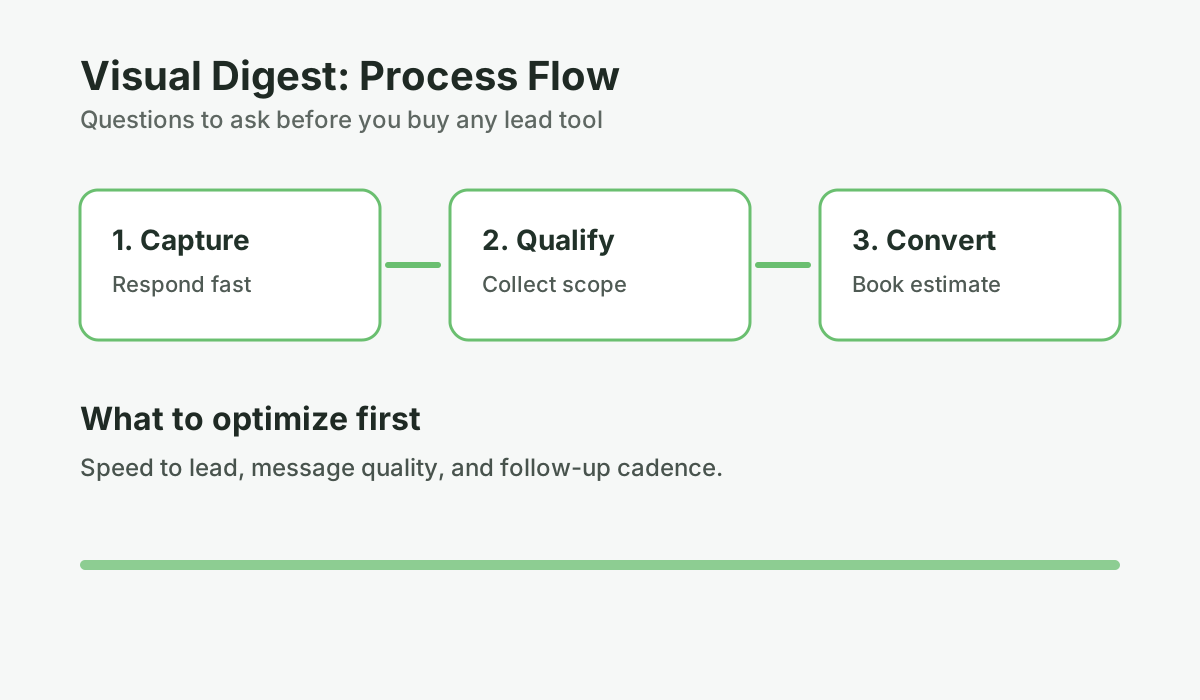
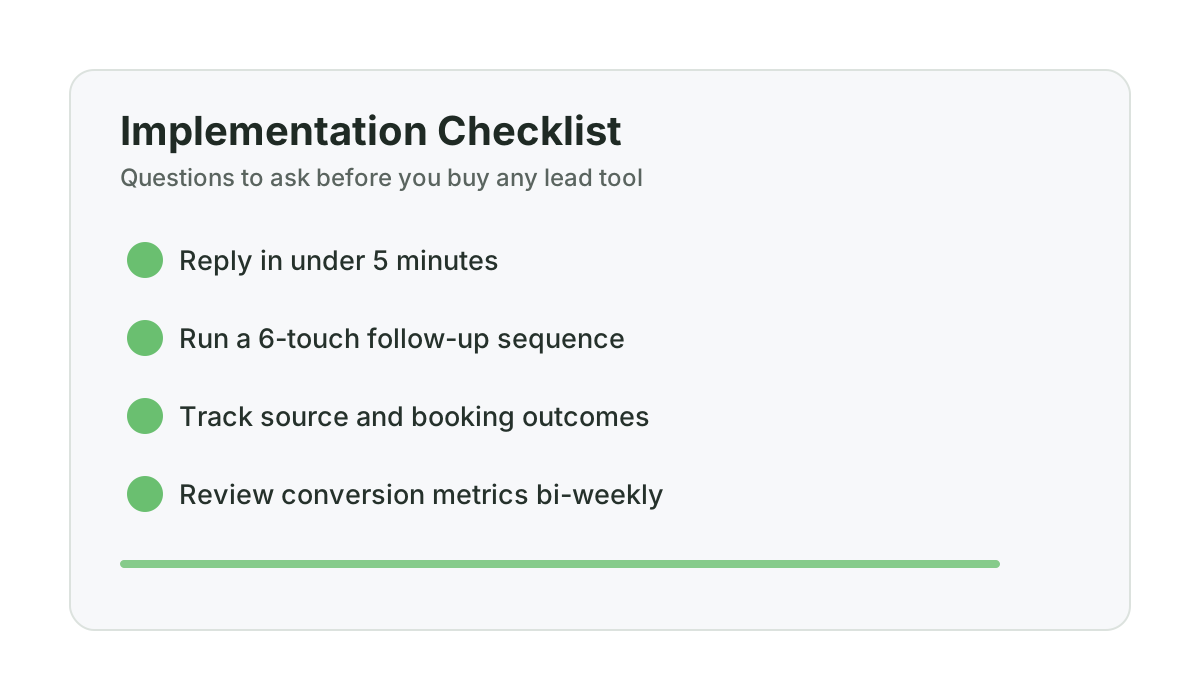
- Response time to new inquiries (target: under five minutes)
- Estimate booking rate from initial contact (baseline vs post-implementation)
- Estimate close rate (baseline vs post-implementation, after follow-up sequences run)
- After-hours lead capture rate (inquiries that result in booked estimates)
- No-show rate on booked appointments
- Number of recovered leads in first 30 days (leads that booked after automated follow-up)
Ask the vendor what metrics they track and how often they report. If the answer is “you can log in and check” without structured reporting, you’re responsible for your own evaluation — and that requires time you probably won’t have. For a framework on which metrics actually matter, see contractor benchmarks for answer rate, booking rate, and speed.
Question 10: What’s the exit condition?
What happens if this doesn’t work? What are the contract terms? What does cancellation look like? Can you get your data out?
Red flags in contract terms:
- Annual contracts with no exit clause
- Setup fees that are non-refundable regardless of performance
- Data lock-in — you can’t export your contacts and conversation history
- No performance guarantee of any kind
Green flags:
- Month-to-month pricing with short notice periods (30 days or less)
- No setup fees
- Performance guarantees with clear terms
- Data portability — you own your contacts and can export them
A vendor confident in their service doesn’t need to lock you in. If a 30-day or 60-day performance guarantee is available, that’s a meaningful signal about how confident the provider is that their product will deliver results within a reasonable timeframe.
Using these questions in a real evaluation
The most useful way to use this list is to take your top two or three options and answer all ten questions for each. You’ll usually find that one solution scores clearly better on the questions that matter most for your specific situation.
For most renovation contractors doing $500K to $2M without dedicated office staff, the questions that matter most are 1, 4, and 2: who owns implementation, how much time does this actually require, and does it cover the hours when my leads actually come in. Those three questions often narrow the choice substantially.
If you want a quick structured version of this evaluation, the lead magnet for this pillar is a buyer’s checklist formatted specifically for that comparison — ten questions, three solution categories, checkboxes for each. It takes about 15 minutes to work through and is useful regardless of which option you end up choosing. If you haven’t yet mapped out where your leads are actually leaking, the speed-to-lead SOP for renovation contractors gives you a concrete process to diagnose the problem before making a buying decision.
Frequently asked questions
What is the most important question to ask before buying a lead management tool?
The most important question is: who specifically will own the implementation and ongoing maintenance? This question reveals whether a given solution is realistic for your situation. DIY platforms require a dedicated person with consistent time. Managed services shift that responsibility to the provider. Answering this question honestly usually narrows the decision significantly.
Is a live answering service enough for a renovation contractor?
A live answering service handles inbound phone calls during business hours and takes messages or transfers calls. That solves one specific problem — calls going unanswered during business hours. It doesn’t address after-hours leads, web form responses, estimate follow-up, appointment reminders, no-show recovery, or any of the other lead conversion touchpoints where revenue typically slips. If inbound call handling during business hours is your only problem, a live answering service may be sufficient. If you have multiple points of revenue leakage, it isn’t.
How do I calculate the real cost of a DIY lead management platform?
Add the monthly subscription fee plus the value of your time spent on setup and ongoing maintenance. If your time is worth $100 to $150 per hour and a DIY platform requires 20 hours to set up plus five hours per month to maintain, that’s $2,000 to $3,000 in setup time plus $500 to $750 per month in ongoing time — on top of the subscription fee. Full-cost comparisons often make managed services more economical than they appear at first glance.
What should a performance guarantee look like for a lead tool?
A meaningful performance guarantee defines what success means, over what time period, and what happens if that benchmark isn’t met. “One recovered lead in 30 days or you request a refund under the applicable guarantee terms” is a clear, verifiable guarantee. “We’ll work with you until you’re satisfied” is not a guarantee — it’s a customer service commitment. Look for specific, measurable terms with a defined refund or credit outcome.
Should I wait until I have more leads before investing in lead management?
If you have fewer than five leads per week, improving lead management isn’t the highest priority — generating more leads probably is. But if you’re getting 15 or more inquiries per month and your close rate feels lower than it should be, or you know you’re missing calls on the job site, the problem is almost certainly revenue leakage rather than lead volume. Fixing the leak on existing volume typically produces better ROI than adding more lead volume to a leaky system.
Reference: Harvard Business Review
Want help applying this to your pipeline?
Use the matching diagnostic tool first, then book a quick strategy call if you want a done-for-you rollout.

Mashrur Rahman
Founder, ConversionSurgery
I build revenue recovery systems for renovation contractors. After seeing how much money remodelers lose to slow follow-up and missed calls, I built a managed service that handles lead response, estimate follow-up, and after-hours capture automatically. The data in these articles comes from running these systems across real contracting businesses.
Related reading
How owner-operator contractors scale without hiring office staff first
How growth-stage contractors remove owner bottlenecks in lead handling and follow-up before hiring expensive admin headcount.
Buildertrend, Houzz, or done-for-you revenue recovery: decision guide for $500K-$3M remodelers
A practical buying framework for remodelers evaluating Buildertrend, Houzz, and managed revenue recovery models.
Jobber vs managed revenue recovery: what each actually solves for renovation contractors
Jobber is not wrong. It just solves a different part of the pipeline. Here is where each model fits and where gaps remain.