The after-hours intake form that books more estimates
Updated
A contractor’s contact form is not a passive data collection tool — it’s the first step in a qualifying conversation. The difference between a form that generates booked estimates and one that generates cold leads with no follow-through comes down to three things: what you ask, in what order, and what happens immediately after submission. This post covers the exact form structure and auto-response setup that converts after-hours submissions into estimate appointments.
Key takeaways
- Most contractor intake forms fail because they collect data without creating forward momentum — no fast response, no qualification, no booking.
- The optimal contractor intake form has 4–6 fields: first name, phone, postal code, project type (multiple choice), timeline, and an optional description.
- An SMS auto-response within 30 seconds of submission is the single highest-leverage change you can make to your intake process.
- The goal of the form is not to collect information — it’s to start a qualifying conversation that ends with a booked estimate.
- Forms with more than 7 required fields see significant abandonment with only marginal quality gains.
Why most contractor intake forms lose leads
A contractor intake form is the web form on a contractor’s website where homeowners submit project inquiries — and when designed poorly, it becomes a dead end rather than the start of a conversion sequence.
The typical contractor contact form asks for a name, phone number, email, and a freeform message box. The homeowner types something like “interested in kitchen renovation, call me” and submits. The form lands in an email inbox. Someone (hopefully) reads it Monday morning. Someone (hopefully) calls back. The lead is cold.
There are four problems with this approach:
Problem 1: No fast response. The homeowner submitted the form and heard nothing. No confirmation, no acknowledgment, nothing. For all they know, the form didn’t work. They called a competitor.
Problem 2: No qualification. “Interested in kitchen renovation” tells you almost nothing. Is this a $15K cabinet refresh or a $90K full gut? Are they ready to move in two months or two years? Is there a permit involved? Without this information, your callback is a cold call.
Problem 3: No forward momentum. The form puts all the burden on you to drive the next step. The homeowner sits passively. There’s nothing moving them toward a booked appointment.
Problem 4: No capture of intent signals. The best intake forms surface commitment signals — timeline, budget range, decision-making process — that tell you which leads to prioritize. A generic form gives you nothing to work with.
What fields should a contractor intake form include?
The form that books more estimates is structured to do four things simultaneously: qualify the lead, build rapport, signal professionalism, and create forward momentum toward a booked estimate. Here’s the structure:
Section 1: Contact and location (required)
Keep this minimal. Ask only what’s needed for initial contact and service area confirmation. Longer forms usually increase abandonment risk, so keep fields to the minimum needed for routing and callback. Source context: Nielsen Norman Group form usability guidance
- First name (required) — not full name; first name is enough to personalize the auto-response
- Phone number (required) — this is how you’ll follow up; SMS is faster than email
- Email address (optional but recommended) — for the booking confirmation and long-term follow-up
- Postal code (required) — confirms they’re in your service area before you invest time in qualifying
Note: ask for phone before email. If you only get one, phone is more valuable for an after-hours capture system — you can send a text quickly during permitted messaging windows. An email address without a phone number puts you back in the slow-response problem.
Section 2: Project type (required, multiple choice)
Avoid using a freeform text field for project type. Multiple choice serves three purposes: it’s faster for the homeowner to complete, it gives you clean data for your CRM, and it makes the form feel organized and professional.
Project type options (adapt to your service menu):
- Kitchen renovation
- Bathroom renovation
- Basement development
- Home addition
- Whole-home renovation
- Custom carpentry / millwork
- Other (please describe below)
If someone selects “Other,” show a small freeform text field. Otherwise keep it clean.
Section 3: Project scope questions (two to three questions)
These questions are where you start separating serious buyers from casual browsers. They also give your AI or follow-up system the context it needs to have an informed conversation.
Question 1: How would you describe the scope of this project?
- Cosmetic update (fixtures, finishes, paint)
- Partial renovation (some structural or layout changes)
- Full renovation (gut and rebuild)
- Not sure yet — looking for guidance
Question 2: When are you hoping to get started?
- As soon as possible (within 60 days)
- In the next 3–6 months
- Longer-term planning (6+ months out)
- Just exploring for now
This single question is one of the most valuable pieces of information you can collect. A homeowner who says “as soon as possible” gets priority in your follow-up queue. Someone who says “just exploring” goes into a long-cycle nurture sequence — don’t ignore them, but don’t prioritize them ahead of a ready buyer. This is the same triage logic behind a good follow-up pipeline system — knowing which leads to prioritize and which to nurture.
Question 3: Have you worked with a renovation contractor before for this type of project?
- Yes — I know what to expect
- No — this is my first time
This question helps your AI or your team calibrate how to handle the conversation. A first-time buyer needs more education and reassurance. A repeat buyer wants to get to the estimate faster.
How much revenue are you losing after 5 PM?
Calculate the actual dollar amount walking out the door every evening and weekend. Takes 2 minutes with your real numbers.
Run the numbers for your business: Calculate your after-hours leak. It takes 2-3 minutes and gives you a clear baseline before your next estimate round.
Section 4: Project description (freeform, optional)
After the structured questions, give them space to tell you anything else. Label it: “Is there anything else you’d like us to know about your project?” Make it optional. You’ve already collected the key data. This field just gives them room to share context that doesn’t fit the multiple-choice structure.
Some homeowners will write a paragraph. Some will leave it blank. Both are fine. The structured questions have already done the work.
How to frame your contractor intake form for higher conversions
The words around your form matter as much as the form itself. Most contractor contact forms are surrounded by language like “Fill out the form below and we’ll get back to you.” This sets no expectations, creates no urgency, and gives the homeowner no reason to trust that anything will happen.
Use this framing instead:
Get your free estimate started in 90 seconds
Fill out the form below and you’ll receive a response quickly during permitted hours; after-hours inquiries are queued for the next compliant window. I’ll review your project details and reach out to book a convenient time for your estimate.
This does three things:
- Sets a specific expectation (“quickly during permitted hours; after-hours inquiries are queued for the next compliant window”)
- Signals that a real response — not just an auto-confirmation — is coming
- Tells the homeowner what happens next (estimate booking), which reduces the friction of submitting
Below the submit button, add a single line of microcopy: “No spam. No commitment. Just a conversation about your project.” This addresses the one objection that stops people from submitting forms: concern about being hounded by sales calls.
What should happen in the first 60 seconds after a form submission?
A form auto-response is the fast SMS and email triggered within seconds of a contact form submission during permitted messaging windows (with restricted-hour queueing) — designed not as a generic confirmation, but as the opening line of a qualifying conversation that moves the lead toward a booked estimate.
The form submission triggers two simultaneous responses: an email confirmation and an SMS text. The email is for record-keeping and long-term follow-up. The SMS is for fast engagement during permitted messaging windows.
SMS auto-response (sent within 30 seconds during permitted hours; queued after quiet hours)
This is not a generic confirmation. It’s the opening line of a qualifying conversation.
Hi [First Name] — I got your message about your [project type] project. Thanks for reaching out. To make sure I have the full picture before we connect, can you tell me a bit more about what you’re looking to do? For example, roughly how large is the space, and are you thinking about any layout changes?
Key elements of this message:
- Uses their first name (personalization from the form data)
- References their project type (not generic)
- Asks a specific, easy-to-answer question (low friction)
- Does not ask them to call or book anything yet — that comes after the qualifying conversation
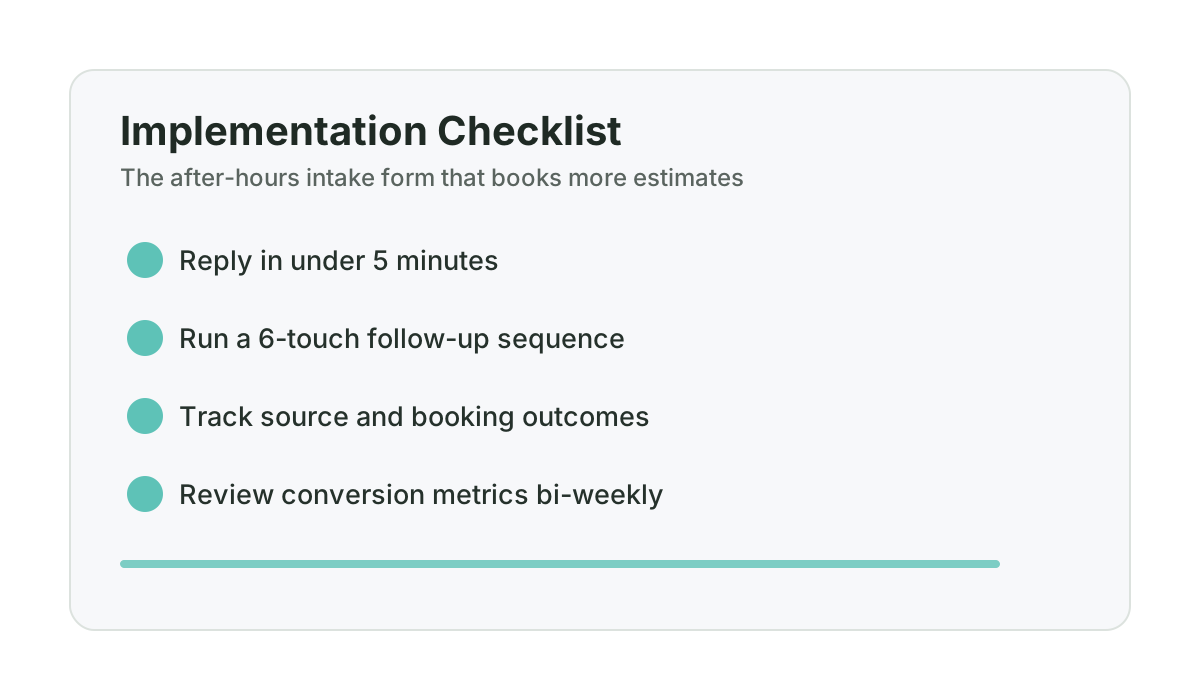
When the homeowner responds, the AI or your follow-up system continues the qualifying conversation based on their answers. This same speed principle is why speed-to-lead is the single best predictor of booked estimates in renovation businesses.
Email auto-response (sent simultaneously)
The email serves a different purpose than the SMS. It’s a confirmation of receipt, a brief introduction, and a link to book directly if they prefer to skip the text conversation.
Subject: Your renovation inquiry — [First Name]
Hi [First Name],
Thanks for getting in touch about your [project type] project. I’ve received your details and will be following up via text shortly to ask a few quick questions.
If you’d prefer to book a call directly, you can do that here: [booking link]
Either way, I’ll be in touch soon.
[Your name]
[Business name]
[Phone number]
Keep it short. The email is not the primary engagement channel — the SMS is. The email exists to reassure the homeowner that their submission was received and to give them an option to self-book if they want to move fast.
How does a form submission become a booked estimate?
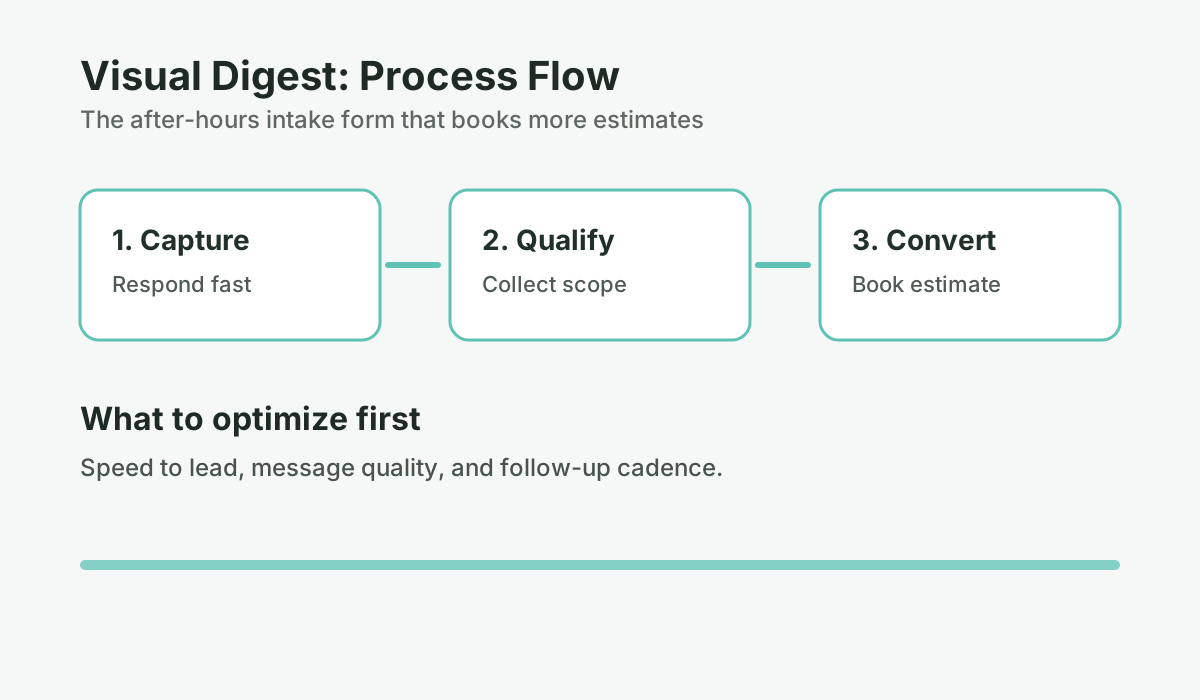
The full after-hours intake flow looks like this:
- Homeowner fills out form (10:45 PM Saturday)
- SMS auto-response is queued overnight and sent at the next permitted window (10:00 AM Sunday)
- Email confirmation fires simultaneously (10:45 PM)
- Homeowner responds to text (10:07 AM Sunday)
- AI qualifies via text conversation: project type, scope, timeline (10:07–10:20 AM Sunday)
- AI proposes two estimate booking options: “I have Monday at 9 AM or Tuesday at 2 PM — which works better?” (10:20 AM Sunday)
- Homeowner picks a time (10:23 AM Sunday)
- Calendar invite sent automatically (10:23 AM Sunday)
- Booking confirmation text sent (10:23 AM Sunday)
- Sunday reminder text sent (Sunday, 5 PM)
- You see the booked estimate with full project notes when you check your dashboard Monday morning
The entire flow takes 20–25 minutes of elapsed time with zero involvement from you. You arrive Monday with a qualified lead, a booked estimate, and the project details you need to show up prepared.
How many form fields is too many?
| Number of form fields | Average completion rate | Estimated lead capture impact | Source |
|---|---|---|---|
| 3 fields or fewer | ~25% higher than baseline | More submissions, less qualification | HubSpot, 2023 |
| 4–6 fields (recommended) | Baseline (best balance) | Balanced volume and lead quality | HubSpot, 2023 |
| 7–9 fields | ~10–15% below baseline | Higher quality but lower volume | HubSpot, 2023 |
| 10+ fields | ~25–40% below baseline | Significant abandonment, marginal quality gain | HubSpot, 2023 |
| SMS response under 60 seconds during legally permitted messaging hours | Use your own baseline and compare before/after implementation | Faster acknowledgement usually improves conversation starts | Modeled scenario (replace with account data) |
The one thing most contractors miss
The form and the auto-response are tools. What makes them work is consistency. A form that fires a smart auto-response 80% of the time and fails the other 20% is not a system — it’s a patch. The homeowners who submitted at 11 PM Friday when your auto-text sequence was broken are the ones who hired your competitor by Saturday morning. This is the same implementation trap that makes DIY tools fail — the technology only works if it runs reliably, every time.
This is why we run the ConversionSurgery Revenue Recovery System as a managed service rather than a DIY platform. The intake form, AI conversation agent, booking integration, and reminder sequences are configured, monitored, and maintained by our team. When you’re on a job site and a homeowner submits a form during restricted hours, the system captures the inquiry immediately and resumes the qualifying conversation at the next compliant window, so you see a progressed opportunity in your dashboard by morning.
At $997/month, the business case should be validated against your own lead volume, close rate, and project value. Current guarantee structure: 30-day Proof-of-Life (5 Qualified Lead Engagements) and 90-day Revenue Recovery tied to at least one attributed project opportunity.
Frequently asked questions
What fields should a contractor intake form include?
The optimal contractor intake form includes four to six fields: first name, phone number, email (optional but useful), postal code (for service area confirmation), project type (multiple choice), and a timeline question (when are you hoping to start). Adding a freeform description field is optional and should be the last field. Forms with more than seven required fields see significant abandonment — collect the minimum needed to qualify the lead and continue the conversation via text.
How quickly should a contractor respond to a contact form submission?
Use fast acknowledgment (ideally under 60 seconds during legally permitted messaging hours) and open a qualifying conversation as quickly as your process allows. Lead response studies consistently show that delay reduces contact probability. For after-hours submissions, automated SMS acknowledgment helps keep the conversation active until your team or system continues qualification.
Should I use a contact form or just a phone number on my website?
Both, not either/or. A phone number captures callers, while a contact form captures visitors who prefer text-first communication or are browsing outside business hours. For after-hours capture, a form with fast SMS acknowledgment during legally permitted messaging windows usually performs better than voicemail-only handling. Use both and ensure both routes trigger fast response.
What should the auto-response to a contractor contact form say?
The auto-response SMS should be personalized (use their first name and their project type from the form), acknowledge receipt specifically (not generically), and ask a single easy-to-answer follow-up question to open a qualifying conversation. Avoid generic messages like “Thanks for your submission — we’ll be in touch.” Those confirm receipt but create no momentum. A question like “Can you tell me more about the space you’re looking to renovate?” keeps the conversation alive.
How do I get a contact form submission to automatically book an estimate?
The form submission triggers an SMS to the lead during permitted hours, with after-hours submissions queued for the next compliant window. The SMS opens a qualifying conversation (project type, scope, timeline). Once the lead is qualified, the AI or your system proposes two specific booking times. The lead picks one. A calendar invite is sent automatically. This full flow can be handled by an AI conversation agent without any manual involvement from the contractor — the estimate is booked before you check your phone in the morning.
Want help applying this to your pipeline?
Use the matching diagnostic tool first, then book a quick strategy call if you want a done-for-you rollout.

Mashrur Rahman
Founder, ConversionSurgery
I build revenue recovery systems for renovation contractors. After seeing how much money remodelers lose to slow follow-up and missed calls, I built a managed service that handles lead response, estimate follow-up, and after-hours capture automatically. The data in these articles comes from running these systems across real contracting businesses.
Related reading
Personal cell to dedicated business number: migration playbook for contractors
A low-risk migration framework for contractors moving from personal phone lead handling to a proper business communication system.
Edmonton contractors: how to stop losing weekend renovation leads
A city-specific weekend lead capture system for Edmonton renovation contractors who lose inquiries between Friday night and Monday morning.
After-hours coverage ROI: when to add coverage vs adjust your ad schedule
Before spending $997/month on after-hours coverage — or cutting weekend ad spend — run this ROI framework with your own numbers first.