The implementation trap: why apps fail and managed service wins
Updated
Contractor software adoption rates are poor. Research across small business CRM purchases consistently shows that 60 to 70% of platforms go underutilized within six months of purchase. For renovation contractors specifically, the pattern is even more predictable: the platform gets purchased, the first week involves some configuration, real projects take over, and the software quietly collects a monthly subscription fee without doing much of anything. This is called the implementation trap — and it’s the central reason why apps fail and managed service wins, not because apps lack capability, but because implementation requires sustained attention that owner-operators don’t have to give.
Key takeaways
- 60-70% of contractor software goes underutilized within six months — the implementation trap is a structural problem, not a discipline problem.
- Industry surveys suggest contractors still average around 42-minute response times to new leads, even those with CRM software, because the software isn’t being used consistently.
- A managed service reaches full operation in three predictable weeks; a DIY platform realistically takes months or not reaches full implementation.
- GoHighLevel is powerful software, but estimated 15-25% of small business users fully implement its core automation features.
- The right choice depends on your situation: if you have dedicated office staff, DIY can work. If you’re a busy owner-operator, the implementation trap will likely repeat.
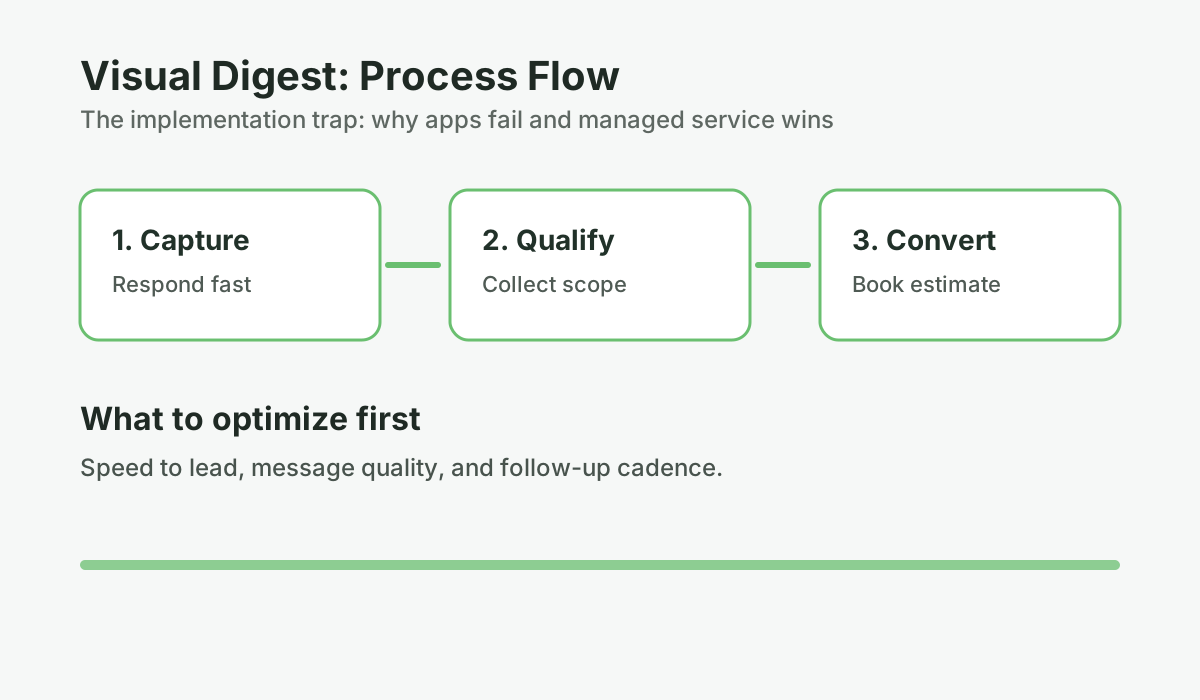
What does the contractor software implementation trap look like from the inside?
The implementation trap is the cycle where a contractor purchases software with genuine intent, partially configures it during an initial burst of effort, gets pulled back into the demands of running a renovation business, and eventually the software sits unused — collecting monthly fees while solving none of the problems it was purchased to fix.
Most contractors who’ve bought software before can recognize the pattern immediately. It goes something like this:
You’re losing jobs to missed calls and forgotten follow-ups. A colleague mentions they’re using a platform. You look at the demo, it looks impressive, the pricing seems reasonable, and you sign up. The first few days involve genuine effort: you set up your account, connect your number, watch some tutorial videos, start configuring your first automation.
Then a project needs your attention. Then an estimate runs long. Then a supplier problem. Then you’re in a stretch of six consecutive 12-hour days on the job site. When you come up for air, logging back into the platform and picking up where you left off feels like starting over. The interface isn’t familiar enough anymore. You’re not sure what state the automation is in. Is it running? Did you finish the setup? You’re not sure.
You intend to come back to it this weekend. This weekend becomes two months. The software keeps charging you every month. Eventually you cancel it or stop thinking about it.
This is not a failure of character. It’s a structural problem: the software was designed to be used by someone with consistent time for it, and that’s not who you are during a busy renovation season.
How bad is the shelf-ware problem by the numbers?
| Metric | Finding | Source |
|---|---|---|
| Small business CRM non-adoption rate | 60–70% of purchased CRM systems go underutilized | Source: Gartner CRM Adoption Study, 2023 |
| Average months before software abandonment | ~3–6 months for small business tools | Source: Totango SaaS Retention Research, 2022 |
| GoHighLevel full implementation rate (SMB) | Estimated 15–25% fully implement core automation features | Source: GoHighLevel community forums and user surveys, 2023 |
| Average contractor response time to new leads | 42 minutes — even among businesses with CRM software | Source: industry response time benchmarks (Signpost / home services surveys) |
| Revenue lost to slow response in home services | First-to-respond wins 35–50% of jobs | Source: InsideSales.com / Velocify Research |
| Estimate follow-up needed to close | 6–8 touches over 4–6 weeks for renovation purchases | Source: widely cited sales industry research |
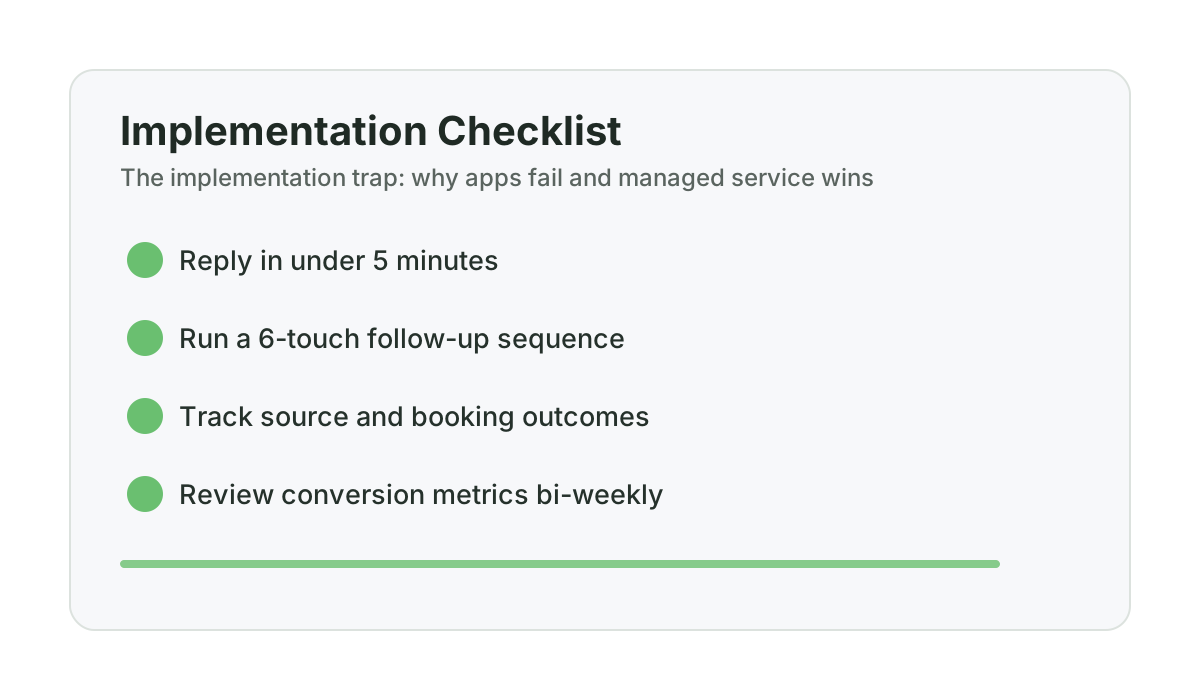
The last data point is worth noting: industry surveys suggest the average response time for contractors who have CRM software is still around 42 minutes. The software isn’t fixing the response time problem. It’s sitting on a server somewhere, fully capable, completely idle. This is the same 42-minute problem that causes renovation leads to go cold — and having software installed doesn’t solve it if nobody’s using the software.
What does the real timeline look like: DIY vs managed?
If you’ve ever wondered what the realistic timeline looks like for getting a DIY platform versus a managed service to full operation, here’s an honest comparison:
DIY platform timeline (realistic, not optimistic)
- Week 1: Sign up, watch tutorials, begin configuring account. Basic settings done.
- Week 2–3: Start building automation sequences. Get interrupted by real work. Return to half-finished setup.
- Week 4–6: Revisit the platform with fresh intention. Try to remember where you left off. Restart some configuration.
- Month 2–3: System is technically live but running incomplete sequences. Some automations work, others aren’t triggering correctly. Not sure why.
- Month 3–5: Intermittent use. You check the platform when you remember. Most leads are still being handled manually, or not at all.
- Month 6+: Platform is effectively shelf-ware. It runs whatever initial automation was configured, unchanged, with no monitoring or optimization. You’ve accepted this as the status quo.
- Total time to full operation: Realistically, not — or months of partial functionality before giving up.
Managed service timeline
- Day 1: Onboarding call (30–45 minutes). Business number provisioned. AI training begins.
- Days 2–7: Scripts drafted and sent for your review. Knowledge base completed. Test conversations run.
- Week 2: System live in assist mode. You approve messages before they send. Takes 10–15 minutes per day.
- Week 3: Full automation active. System handles all lead response and follow-up independently.
- Month 1+: System runs and optimizes continuously. You read a bi-weekly report and respond to escalations.
- Total time to full operation: Three weeks, predictably.
The three-week managed timeline versus the months-or-not-at-all DIY timeline is the core argument. You can have a system that’s actually running in three weeks, or a platform that might eventually run correctly if you can consistently dedicate time to it over several months.
Another tool, or a system that actually runs?
Use this decision guide to figure out what you actually need: more software (that you won't use) or a managed service that delivers the outcome.
Run the numbers for your business: Use the Service vs App guide. It takes 2-3 minutes and gives you a clear baseline before your next estimate round.
Why does GoHighLevel specifically illustrate the contractor software implementation problem?
GoHighLevel is the platform that comes up most often in conversations with contractors who’ve tried and abandoned a CRM. To be clear: GoHighLevel is a legitimate, powerful platform. The contractors who fully implement it get real results. The issue isn’t the platform — it’s the implementation requirement.
GoHighLevel requires someone to:
- Build automation workflows from scratch or from templates
- Write and test all messaging scripts
- Configure triggers, conditions, and delays correctly
- Train or configure the AI components if using them
- Monitor performance and adjust based on data
- Troubleshoot when something doesn’t fire correctly
- Update configurations as your business changes
For an agency running multiple clients’ accounts, there’s a dedicated person doing all of this. For a single renovation contractor managing it themselves, it’s an ongoing part-time job layered on top of their actual job. Most contractors reach a point where the platform is configured well enough to feel like they’ve done something, but not well enough to actually be working. That partial-implementation limbo is where most GoHighLevel accounts live indefinitely.
The pricing reflects this: GoHighLevel starts at $97 per month and goes to $297 and above for full-featured plans. For a platform that’s 20% implemented, that’s $1,164 to $3,564 per year in subscription fees for something that’s mostly not working. That’s a significant annual cost for something that’s mostly not working.
Why doesn’t job management software fix the lead problem?
Job management software (Jobber, HouseCall Pro, ServiceTitan) is designed to manage work you’ve already won — scheduling, crew assignments, work orders, and invoicing. It does not handle the pre-sale communication that converts leads into booked estimates and closed jobs.
A common confusion to address: Jobber, HouseCall Pro, and ServiceTitan are not lead conversion tools. They’re job management tools. The distinction matters.
These platforms are excellent at managing the work you’ve already won: scheduling, crew assignments, work orders, invoicing, customer communication about active jobs. They are not designed to run compliant lead response workflows that queue restricted-hour inquiries and follow up at the next permitted window, then continue estimate follow-up and re-engagement.
Jobber won’t text back a missed call. HouseCall Pro isn’t sending six follow-up messages on your cold estimates. ServiceTitan won’t run a re-engagement sequence on a lead who inquired six months ago and did not book. If you want to understand what an effective follow-up sequence looks like, these estimate follow-up scripts show how to re-engage without sounding pushy.
If you’re using Jobber and wondering why your close rate isn’t improving, it’s because Jobber doesn’t touch the problem. It manages the jobs you’ve won. The revenue recovery problem — the leads slipping through before they become jobs — is a different system.
What actually makes a managed service succeed where apps fail?
The answer isn’t technology. GoHighLevel has comparable or superior technical capabilities to most managed service backends. The answer is ownership and accountability.
When you buy a DIY app, you own the implementation responsibility. When you subscribe to a managed service, someone else owns it. That accountability transfer is what makes the difference. The managed service provider’s success depends on the system actually working — on leads being captured, estimates being followed up, appointments being booked. A DIY app provider’s success is measured by whether you renewed your subscription, which happens regardless of whether you ever implemented the platform.
In a managed service relationship, optimization, troubleshooting, and ongoing improvement are in the provider’s interest. In a DIY app relationship, they’re entirely in yours — and you have a renovation business to run.
When is a DIY app the right choice?
There are situations where a DIY platform is the better fit, and it is better to be explicit about this than oversell one approach:
- You have a dedicated operations person who can own the implementation and maintenance. At $2M+ revenue with office staff, a DIY platform becomes more viable because there’s someone whose actual job includes managing it.
- You’re technically inclined and genuinely enjoy this work. Some contractors find platform configuration interesting and will actually do it. If that’s you, a DIY platform gives you more control and customization at a lower price point.
- Your lead volume is low enough that the ROI of a managed service doesn’t pencil out. If you’re doing $300K and getting eight leads a month, the math is tighter and a simpler solution might serve you better.
- You want to build internal capability over time and are willing to invest the learning curve now to own it fully later.
If none of those apply — if you’re a busy owner-operator doing $500K to $2M without dedicated office staff, and you’ve already bought software that isn’t being used — the pattern is likely to repeat. The platform isn’t the problem. The implementation is. To see what those missed opportunities actually cost in dollar terms, run through the revenue leak calculator with your own numbers.
Frequently asked questions
What is the implementation trap in contractor software?
The implementation trap is the cycle where a contractor purchases software with genuine intention to use it, partially configures it during an initial burst of effort, gets pulled back into the demands of running a renovation business, and eventually the software sits unused while still charging a monthly subscription fee. The term “shelf-ware” describes software that’s purchased but not operationalized. It’s common across small businesses but particularly acute for renovation contractors who have no dedicated office staff to own the implementation.
How is a managed service different from a done-for-you agency?
A done-for-you agency typically handles marketing services — building websites, running ads, managing social media. A managed service for revenue recovery handles the operational communication layer: responding to leads, following up on estimates, confirming appointments, collecting payments and reviews. These are different problems. An agency gets you more leads. A managed revenue recovery service helps you stop losing the leads you already have.
Is GoHighLevel bad for contractors?
No. GoHighLevel is a capable platform. The contractors who fully implement it get real results. The problem is the implementation requirement — it’s powerful software that requires sustained attention to configure and maintain correctly. For contractors with dedicated office staff or who are genuinely interested in owning the technical setup themselves, it can be the right choice. For busy owner-operators with no dedicated operations person, the implementation trap typically applies.
Why doesn’t Jobber or HouseCall Pro fix the lead response problem?
Jobber and HouseCall Pro are job management platforms — they are designed to manage work you’ve already won. They handle scheduling, crew management, work orders, and invoicing for active jobs. They are not built to run compliant response workflows that queue restricted-hour inquiries, automate cold-estimate follow-up, or re-engage leads who went quiet after an initial contact. The lead conversion problem and the job management problem require different tools.
What’s a realistic cost comparison between shelf-ware and a managed service?
A contractor paying $97 to $297 per month for a partially-implemented DIY platform that isn’t actually running is spending $1,164 to $3,564 per year on something that isn’t solving the problem. A managed service at $997 per month is more expensive per month, but if it actually recovers one additional job — at $30,000 to $65,000 in project value — the ROI comparison is not close. The question isn’t “which is cheaper?” but “which one actually works and produces results?”
Want help applying this to your pipeline?
Use the matching diagnostic tool first, then book a quick strategy call if you want a done-for-you rollout.

Mashrur Rahman
Founder, ConversionSurgery
I build revenue recovery systems for renovation contractors. After seeing how much money remodelers lose to slow follow-up and missed calls, I built a managed service that handles lead response, estimate follow-up, and after-hours capture automatically. The data in these articles comes from running these systems across real contracting businesses.
Related reading
How owner-operator contractors scale without hiring office staff first
How growth-stage contractors remove owner bottlenecks in lead handling and follow-up before hiring expensive admin headcount.
Buildertrend, Houzz, or done-for-you revenue recovery: decision guide for $500K-$3M remodelers
A practical buying framework for remodelers evaluating Buildertrend, Houzz, and managed revenue recovery models.
Jobber vs managed revenue recovery: what each actually solves for renovation contractors
Jobber is not wrong. It just solves a different part of the pipeline. Here is where each model fits and where gaps remain.