What done-for-you looks like in week one: setup, scripts, coverage, reporting
Updated
“Done-for-you” is one of the most overused phrases in service marketing. It can mean anything from “we’ll build you a template” to “we run everything and you do not think about it.” If you’re evaluating a managed service contractor solution for lead communication and follow-up, you deserve a specific, honest answer to the question: what actually happens in week one? This post walks through the real onboarding process for a revenue recovery system — the initial call, what gets configured, how the AI learns your business, what you review before anything sends, and how you know it’s working. The full onboarding takes three weeks before the system runs on its own. Here’s what each phase involves.
Key takeaways
- A managed service contractor setup takes three weeks from onboarding call to full automation — week one is configuration, week two is supervised soft launch, week three is autonomous operation.
- The 30-to-45-minute onboarding call is the most important step — it trains the AI on your specific services, pricing approach, communication style, and guardrails.
- Seven automated sequences get built in week one: missed call text-back, form response, appointment reminders, no-show recovery, estimate follow-up, payment reminders, and review requests.
- Your ongoing responsibility is minimal: mark estimates as sent, mark jobs as won/lost/complete, read bi-weekly reports, and respond to occasional escalation notifications.
- Most contractors approve 90%+ of AI-suggested messages without changes during the week-two review period.
Why does the first week determine whether a managed service contractor setup succeeds?
Most managed services fail contractors not because the technology breaks down — but because onboarding was rushed. The AI gets turned on with generic scripts. The business knowledge base is thin. The contractor sees a few awkward conversations, loses confidence, and checks out. Two months later they’ve cancelled and concluded that “AI doesn’t work for my business.”
The reality is that a well-trained AI, given accurate information about how your business operates, performs differently than a generic chatbot. The training quality in week one directly determines the quality of every conversation that follows.
Getting this right requires an actual time investment from you in week one. Not a large one — the onboarding call is 30 to 45 minutes — but it requires your genuine attention. The more accurate information you provide about your business, your services, your pricing approach, and your typical customer conversations, the better the AI performs.
For context on why this matters: published lead-response research consistently shows speed has a material effect on contact and qualification outcomes. Source: Harvard Business Review summary of MIT lead response research The gap between tools that are configured and tools that are configured correctly is significant — and it is often an onboarding quality problem, not a technology problem. Understanding your speed-to-lead KPI helps you see why getting this first week right has a direct impact on booked estimates.
What does the three-week onboarding timeline look like?
| Week | Phase | What Happens | Your Time Commitment |
|---|---|---|---|
| Week 1 | Setup and configuration | Onboarding call, business number provisioned, AI trained on your business, scripts drafted, team notifications configured | 30–45 minutes (onboarding call) + reviewing draft scripts |
| Week 2 | Soft launch — assist mode | AI starts responding but every message requires your approval before it sends. You review, approve or edit, and the AI learns your preferences. | 10–15 minutes per day reviewing and approving messages |
| Week 3 onward | Full automation | AI runs independently. You receive escalation notifications when a situation needs human judgment. No daily review required. | 5 minutes to read bi-weekly reports. Responding to escalations as needed. |
Three weeks to full operation is not a bug — it’s intentional. Week two exists specifically so you can catch anything that doesn’t sound right before it goes to a homeowner with your business name attached. Most contractors find they approve 90%+ of suggestions without changes. A small number of edits in week two teach the AI your specific voice and preferences in a way that no amount of upfront configuration can fully replicate.
What gets covered in the week-one onboarding call?
The onboarding call is a structured 30-to-45-minute session where a managed service team captures your business details — services offered, service area, pricing approach, common customer questions, booking logistics, communication style, and operational guardrails — to train the AI specifically for your renovation business.
The onboarding call is the single most important 30 to 45 minutes in the entire process. It’s where the AI goes from generic to specific — from “renovation contractor” to your renovation business, with your services, your terminology, your typical customer questions, and your boundaries.
Business and service information
The call starts with the basics: what services you offer, what geographic area you cover, what your minimum project size is, and how you typically price work (flat rate, square footage, time-and-materials, or estimate-based). This matters because the AI needs to know whether a given inquiry is actually something you want to pursue.
If you do basements and kitchens but not bathrooms, the AI should qualify bathroom inquiries appropriately rather than booking an estimate for a job you won’t take. If you only work in Calgary and not Red Deer, that should filter early in the conversation.
Common homeowner questions and how you answer them
Every contractor gets asked the same questions repeatedly: “How much does a basement finish typically cost?” “How long does a kitchen renovation take?” “Do you provide a warranty?” “Are you licensed and insured?” The onboarding call captures your actual answers to these questions.
The AI won’t guess. If a question falls outside your knowledge base, it tells the homeowner that the contractor will be in touch to discuss specifics. But the more common questions you pre-answer during onboarding, the more complete and confident the AI conversations will be.
Booking logistics
The primary goal of every AI conversation is to book an estimate appointment. This requires knowing: how far in advance you schedule estimates, what your typical availability looks like, how long an estimate appointment takes, and what address you need for the site visit. The AI gets connected to your calendar or a booking system so it can offer and confirm appointment slots without your involvement.
Your communication style and tone
Some contractors are formal: “We’d be happy to arrange an estimate.” Others are conversational: “I can come out Thursday — does 10 AM work for you?” The AI should match your business personality, not sound like a generic corporate service. The onboarding call captures examples of how you typically communicate so the scripts can match your actual voice.
Hard rules and guardrails
Every AI conversation operates within absolute rules: it won’t make specific pricing commitments, won’t promise timelines without seeing the project, won’t use pressure tactics, and will be transparent about being AI if asked directly. Beyond these universal rules, the onboarding call establishes your specific guardrails — the questions the AI should defer by default rather than attempt to answer.
Another tool, or a system that actually runs?
Use this decision guide to figure out what you actually need: more software (that you won't use) or a managed service that delivers the outcome.
Run the numbers for your business: Use the Service vs App guide. It takes 2-3 minutes and gives you a clear baseline before your next estimate round.
What gets built in week one after the onboarding call
Your dedicated business number
A local Alberta phone number gets provisioned specifically for your business. This number is separate from your personal cell and serves as the channel for all automated communication. Calls that come in are handled by the AI system. Outbound texts for missed call recovery, estimate follow-up, appointment reminders, and payment reminders all send from this number.
The separation matters for a few reasons. Your personal cell stays personal. You get a clean CRM record of every conversation in one place. CASL compliance is tracked at the number level. And if you ever need to add team members or change how calls route, you do that without touching your personal number.
Your AI conversation knowledge base
Based on the onboarding call, a knowledge base gets built for the AI — your services, pricing approach, service area, FAQs, booking logistics, and guardrails. This is what makes the AI specific to your business rather than generic. Think of it as a detailed brief that the AI consults for every conversation.
The knowledge base is a living document. As you review conversations in week two, you’ll probably find a few things that need updating — a question the AI didn’t have an answer for, or a response that was technically correct but didn’t sound like you. Those get incorporated.
Your seven automated sequences
The core of the system is seven automated sequences, each triggered by a specific event:
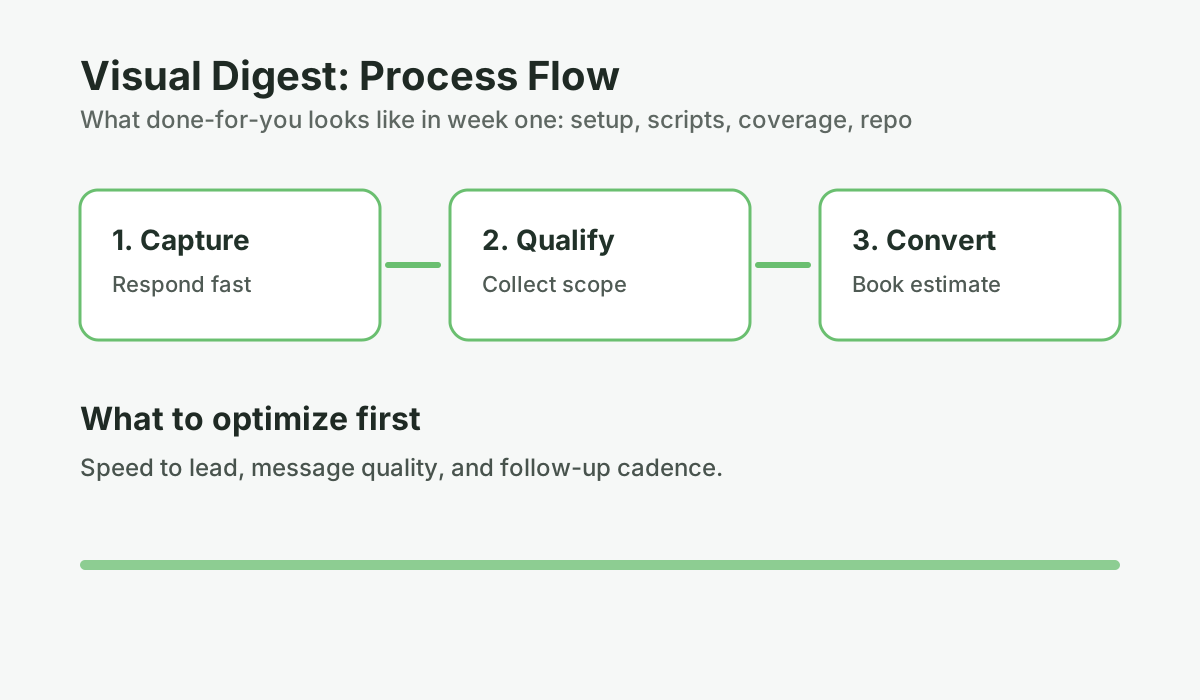
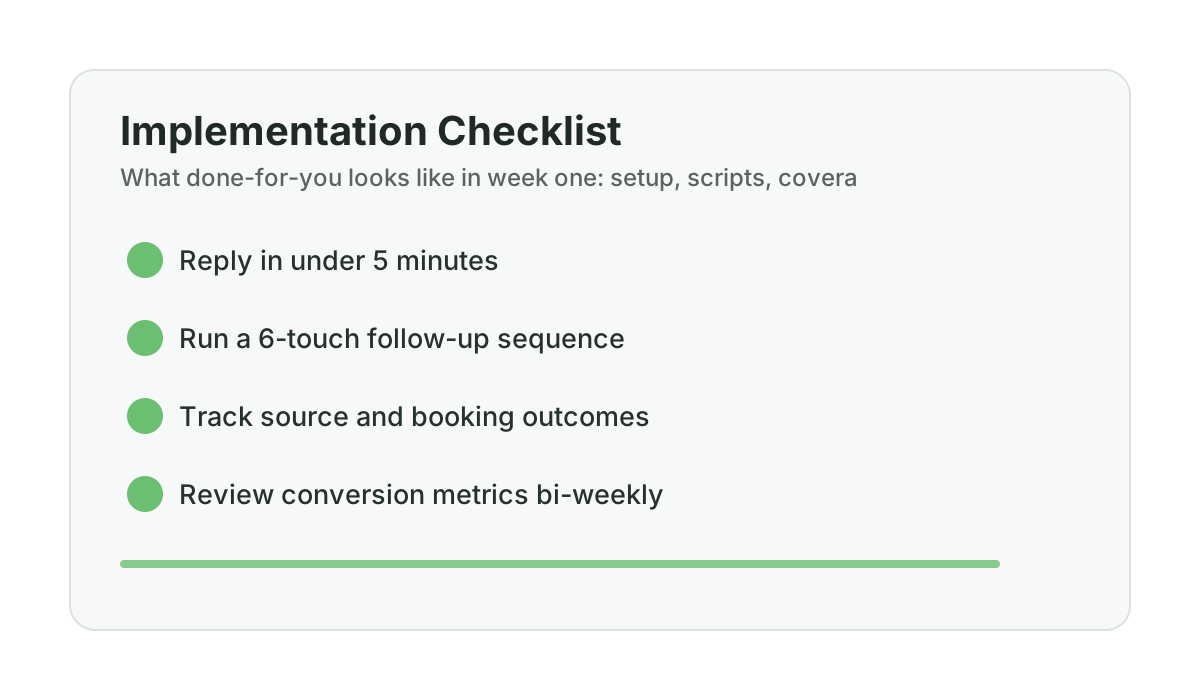
- Missed call text-back: When a call goes unanswered, the AI sends a text within 30 seconds: “Hey, I missed your call — I’m with a client right now. What are you looking to get done?” and begins qualifying the project. This is the same missed call recovery two-text playbook that consistently turns unanswered calls into booked estimates.
- Form response: When someone submits a contact form, the AI responds quickly with a conversational qualification message.
- Appointment reminders: Automatic confirmation and reminder messages the day before and two hours before the estimate appointment.
- No-show recovery: If someone misses an appointment, a follow-up sequence goes out the same day and again two days later to reschedule.
- Estimate follow-up: When you mark an estimate as sent, a six to eight touch sequence launches over six weeks — professional check-ins that keep you top of mind without feeling pushy.
- Payment reminders: When an invoice is due, automated reminders send with a one-click payment link.
- Review requests: When a job is marked complete, a personalized review request goes out with a direct link to your Google Business Profile.
The scripts for each of these get written and reviewed before week two begins. You see exactly what would send before any of it goes to a homeowner.
Team notification routing
For most contractors, the escalation path is simple: if the AI encounters a question outside its knowledge base or a conversation that’s heading somewhere unusual, you get a notification. The configuration specifies who gets notified, how, and for what types of situations. If you have an office person or a spouse handling some communication, they can be looped in too.
How does week-two assist mode work in practice?
Assist mode is the supervised phase of onboarding where the AI generates response suggestions for every incoming message, but holds them in a review queue for contractor approval before sending — allowing the contractor to verify accuracy and train the AI on their specific communication preferences.
In week two, the system is live but running in assist mode. Every message the AI would send appears in a review queue first. You see the incoming message, the proposed AI response, and the option to approve as-is, edit, or reject.
Most contractors spend about 10 to 15 minutes per day on this in week two. By the end of the week, they’ve typically approved 90%+ of suggestions without changes, made a handful of small edits that the AI learns from, and feel confident that what’s going out sounds right.
Week two is not just quality control — it’s the AI learning your specific preferences. The edits you make aren’t just one-time corrections; they inform how the AI handles similar situations going forward.
What reporting looks like once you’re live
Once the system runs fully on its own, your ongoing involvement drops to reading a bi-weekly report. The report covers:
- New leads captured and how they came in
- Conversations initiated and completed
- Estimate appointments booked
- Estimates followed up and response rates
- Revenue attributed to recovered leads
- Any conversations that required escalation and how they were handled
- Optimization notes: what’s working, what’s being tested
The goal of the bi-weekly report is to make the value of the system visible. Most contractors don’t realize how many leads they were losing until they see a month of captured after-hours inquiries and recovered cold estimates in one place. The report also flags anything that needs attention: a script that’s generating questions, a sequence with unusually low response rates, or a conversation pattern worth addressing. For a detailed look at what these reports should contain, see how to read your first ROI report.
What are your minimal ongoing responsibilities?
One of the legitimate concerns about a managed service is whether “done-for-you” actually means “zero involvement.” It doesn’t — and it shouldn’t. There are five things you need to do for the system to work well:
- Mark estimates as sent: This triggers the follow-up sequence. One text command from your phone: “ESTIMATE [name]”
- Mark jobs as won or lost: This enables accurate ROI tracking and triggers the appropriate next sequence.
- Mark jobs as complete: This triggers the review request and payment reminder sequences.
- Read the bi-weekly reports: Five minutes every two weeks to stay informed about what the system is doing.
- Respond to escalation notifications: When the AI flags something that needs your judgment, you respond. Most weeks this happens zero to two times.
That’s it. Everything else — responding to leads, following up on estimates, confirming appointments, handling no-shows, chasing invoices, collecting reviews — the system does.
What to expect in the first 30 days
In the first 30 days, many teams discover operational blind spots that were not visible before: leads arriving outside response windows, estimates that were still active but untreated, and appointment no-shows that could have been recovered with structured follow-up. Treat these as workflow findings, not guaranteed outcomes.
The 30-day proof-of-life guarantee exists to reduce risk while you validate fit. If you do not see at least 5 Qualified Lead Engagements in your first 30 days, your first month is refunded under the 30-day Proof-of-Life guarantee. Treat the first month as a baseline period and evaluate traction using your own logs.
Frequently asked questions
How long does it realistically take before a managed service is fully running?
Three weeks from the onboarding call to full automation. Week one is setup and configuration. Week two is a supervised soft launch where you approve all messages before they send. By week three, the system runs independently. Some contractors are comfortable moving to full automation earlier in week two once they’ve reviewed enough conversations to feel confident. The three-week timeline is a structured minimum, not a hard ceiling.
What happens if the AI says something wrong to a homeowner?
The knowledge base and guardrails exist specifically to prevent this. The AI won’t guess on pricing, timelines, or anything outside its training. It defers to you for anything uncertain. During week two in assist mode, you see every proposed message before it sends — that’s your safety net while the AI learns your specifics. After going live, the conversation logs are consistently visible in the CRM dashboard, and any escalation notification is flagged for your review.
Will the AI sound like me, or like a generic chatbot?
That depends entirely on the quality of onboarding. A well-configured AI trained on your specific communication style, services, and common customer questions sounds like a professional representative of your business. A generic template does not. This is why the onboarding call matters — the more accurate information you provide about your voice and your business, the more specific and natural the AI conversations become.
What if I want to change how the system responds to something?
The knowledge base is updated as needed. If you notice the AI handling a particular type of question in a way that doesn’t reflect your approach, that gets updated. Ongoing optimization is part of a managed service — it’s not a one-time configuration that does not change.
Does the system work alongside Jobber or other software I’m already using?
Yes. A revenue recovery system handles the lead communication and sales process — responding to inquiries, following up on estimates, booking appointments. Jobber handles the job management after you’ve won the work. They serve different parts of the process and don’t conflict.
Current guarantee structure: 30-day Proof-of-Life (5 Qualified Lead Engagements) plus a 90-day Revenue Recovery guarantee tied to at least one attributed project opportunity.
Want help applying this to your pipeline?
Use the matching diagnostic tool first, then book a quick strategy call if you want a done-for-you rollout.

Mashrur Rahman
Founder, ConversionSurgery
I build revenue recovery systems for renovation contractors. After seeing how much money remodelers lose to slow follow-up and missed calls, I built a managed service that handles lead response, estimate follow-up, and after-hours capture automatically. The data in these articles comes from running these systems across real contracting businesses.
Related reading
How owner-operator contractors scale without hiring office staff first
How growth-stage contractors remove owner bottlenecks in lead handling and follow-up before hiring expensive admin headcount.
Buildertrend, Houzz, or done-for-you revenue recovery: decision guide for $500K-$3M remodelers
A practical buying framework for remodelers evaluating Buildertrend, Houzz, and managed revenue recovery models.
Jobber vs managed revenue recovery: what each actually solves for renovation contractors
Jobber is not wrong. It just solves a different part of the pipeline. Here is where each model fits and where gaps remain.