Your first ROI report: the metrics that prove revenue recovery is working
Updated
A revenue recovery system is only as valuable as the evidence it produces. If you cannot see clearly what the system is recovering, you cannot know whether it is working — and you have no basis for improving it. This post walks through the five metrics that matter most in any contractor revenue recovery context, what a real bi-weekly report should contain, and how to read those numbers in a way that connects directly to project revenue. Whether you are running a managed service or building your own system, these are the numbers to track.
Key takeaways
- Track five core contractor revenue recovery metrics: leads captured, estimates booked, estimates sent, projects signed with revenue, and follow-up touches with response rate.
- Review these metrics bi-weekly — monthly is too slow to catch problems, weekly creates noise from normal variation.
- Capture a two-week baseline before launching any system so you can prove the improvement with real numbers, not just feelings.
- A healthy follow-up response rate is 15% to 25% — below 10% consistently means the messaging needs adjustment.
- Source attribution is the difference between knowing total revenue and knowing which revenue the system actually produced.
Why do most contractors have no idea what their systems are producing?
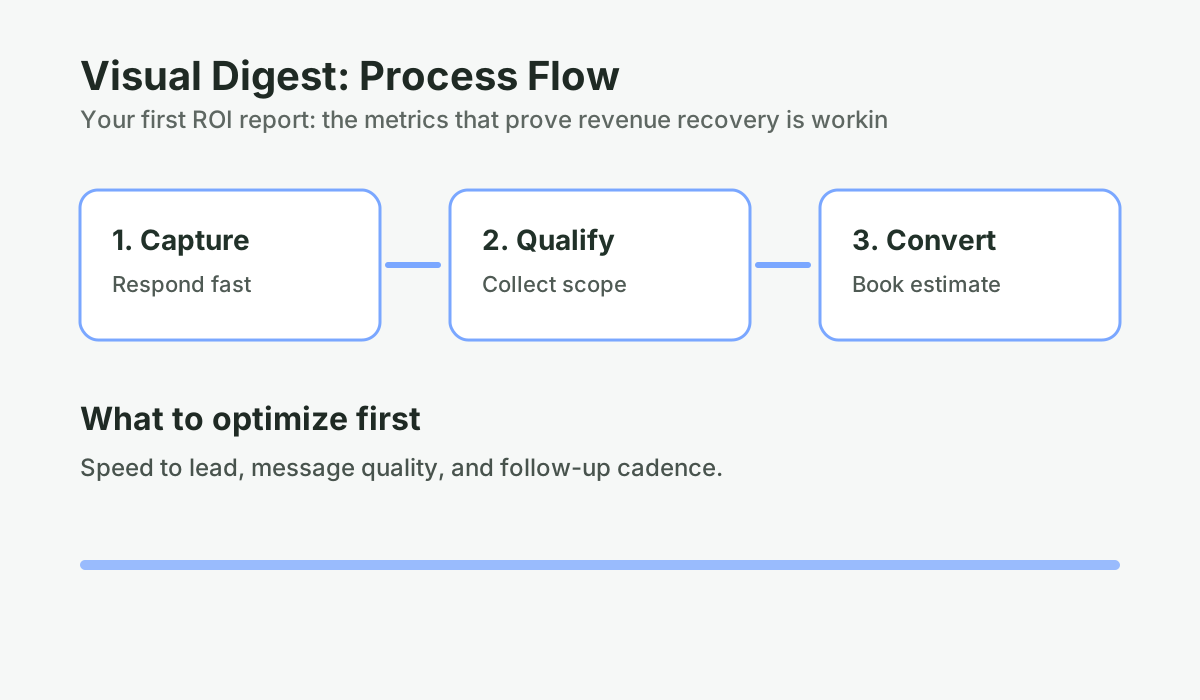
Most renovation contractors who implement any kind of lead management tool — a CRM, an answering service, an automated follow-up sequence — do not actually measure what it is producing. They know vaguely whether it feels like it is working, but they do not have a structured report that quantifies leads captured, estimates booked, projects signed, and revenue recovered.
Without that report, a few things happen:
- You cannot tell whether the system is producing ROI or just activity.
- You cannot identify which lead sources or which time windows are generating the most value.
- You cannot improve what you cannot see — if a particular stage of the funnel is leaking, it stays invisible.
- When something does not feel right, there is no data to diagnose it.
The solution is not more data — it is the right data, presented at the right frequency, in a format that takes five minutes to read and leads to a clear action or confirmation.
That is what a good bi-weekly ROI report does. Not a dashboard with 40 metrics. Five numbers, context, and clarity.
What are the five contractor revenue recovery metrics that matter?
Contractor revenue recovery metrics are the specific data points that measure how effectively a business captures, nurtures, and converts inbound leads that would otherwise be lost to missed calls, slow response, or absent follow-up.
Metric 1: Leads captured
This is the count of inbound inquiries that entered the system in the reporting period — calls, web forms, text messages, social messages, referral contacts. Anything that represents a new homeowner expressing interest in a renovation project.
Why it matters: lead capture volume is the top-of-funnel number everything else flows from. Trends in this number tell you whether your marketing is working, whether seasonal patterns are affecting your pipeline, and whether changes to your response system are affecting how many leads get captured versus slipping through.
What to watch: if this number is flat or declining, the problem is usually either marketing (fewer people are finding you) or answer rate (more people are finding you but not getting captured). A sudden drop often traces to a technical issue — a phone number not routing correctly, a web form not notifying the system. A sustained trend down means a lead generation problem, not a revenue recovery problem.
Metric 2: Estimates booked
This is the count of estimate appointments that were scheduled — either through the AI booking conversation or through manual scheduling — during the reporting period. This is distinct from estimates sent: it measures the conversion from inquiry to appointment on the calendar.
Why it matters: estimates booked is the mid-funnel conversion metric. It reflects how well the system (and your team) are converting curious homeowners into qualified, scheduled prospects. A low booking rate relative to leads captured indicates a problem with the intake conversation — either the AI is not qualifying effectively, response time is slipping, or the scheduling process has friction.
What to watch: a booking rate below 25% warrants investigation. Common causes include slow response time (homeowners have moved on by the time a conversation starts), a poor qualifying conversation that fails to move homeowners toward a scheduled step, or a mismatch between what homeowners expect and what the intake conversation offers them.
Metric 3: Estimates sent
This is the count of formal quotes or estimates that went out to homeowners during the reporting period. This number flows from estimates booked — a portion of scheduled appointments will convert to sent estimates — and feeds into close rate calculations.
Why it matters: the ratio of estimates sent to estimates booked tells you how many scheduled appointments are converting to actual estimates. If this ratio is low, appointments are happening but estimates are not following — which could indicate no-show problems, incomplete appointments, or estimates that need to be written but are not getting done in a reasonable timeframe. If no-shows are a recurring issue, the no-show reminder and reschedule system addresses that specific leak.
This is also the trigger for the Estimate Follow-Up sequence. When an estimate is marked as sent in the system, the automated follow-up sequence begins. Tracking this number confirms the follow-up engine is being fed.
Metric 4: Projects signed (and revenue attributed)
This is the count of signed contracts in the reporting period, and the associated project revenue. This is the output metric — the number that directly translates to business revenue.
Why it matters: revenue signed is the bottom-line validation that the system is working. Everything else in the report is a leading indicator. This is the lagging result that all those leading indicators are building toward. Tracking it bi-weekly gives you a current picture of pipeline health and near-term revenue.
What to watch: the source attribution here is important. A good system tracks whether signed projects originated from system-captured leads versus direct referrals versus other sources. This attribution tells you the actual ROI of the revenue recovery system — not just total revenue, but what portion is specifically coming through the system’s lead capture and follow-up work.
Metric 5: Follow-up touches sent and response rate
This is the count of automated follow-up messages sent to outstanding estimates during the reporting period, along with the percentage of those that received a reply.
Why it matters: this metric validates that the follow-up engine is running and producing engagement. If you are sending six touches per outstanding estimate and getting a 15% to 25% response rate, the sequence is working. If response rate drops, it usually signals a tone or timing issue in the messages — something that can be diagnosed and corrected in the next reporting cycle.
What to watch: a response rate below 10% on estimate follow-up messages suggests the messaging itself needs attention. Response rates in the 15% to 25% range for automated follow-up sequences are typical and healthy in home services. Above 25% is excellent.
See what the numbers look like when follow-up actually happens
Download a sample results dashboard showing the metrics that matter: response time, booking rate, close rate, revenue recovered.
Run the numbers for your business: See the Results Dashboard. It takes 2-3 minutes and gives you a clear baseline before your next estimate round.
What does a real bi-weekly contractor ROI report look like?
The following is a sample bi-weekly report for a basement renovation contractor — realistic numbers, realistic context, and a modeled structure. This example uses published benchmarks and stated assumptions for illustration only.
ConversionSurgery — bi-weekly performance report
Contractor: Sample Contractor (modeled profile)
Report period: February 3 to 16, 2026
Generated: February 17, 2026
| Metric | This period | Last period | Change | Context |
|---|---|---|---|---|
| Leads captured | 19 | 16 | +3 (+19%) | 2 came in Saturday after 8 PM; both booked |
| Estimates booked | 11 | 9 | +2 (+22%) | Booking rate: 58% (up from 56%) |
| Estimates sent | 9 | 8 | +1 (+13%) | 2 estimates pending from booked appointments |
| Projects signed | 3 | 2 | +1 (+50%) | $47K, $62K, $38K — total $147K |
| Follow-up touches sent | 48 | 41 | +7 (+17%) | 21 outstanding estimates in sequence |
| Follow-up response rate | 19% | 16% | +3 points | 9 re-engagements; 2 moved to active estimate |
| Avg. response time (AI) | 18 sec | 21 sec | -3 sec | Sample scenario: response time held under 30 sec during permitted hours |
| System ROI (this period) | 14.7x | 10.2x | +4.5x | Based on signed revenue attributed to system leads |
Source: Sample report — ConversionSurgery Revenue Recovery System reporting template; modeled figures for illustration.
Notes and actions from this period
- Observation: The Day 14 follow-up touch is generating the highest response rate (23%) across the sequence. This is consistent with the second decision review window for basement projects.
- One re-engaged lead from October: Long-cycle nurture sequence reactivated a lead originally estimated at $55,000 in October. Appointment rebooked for February 22.
- Recommendation: Mark the $147K in signed projects as won in the system to trigger review request automation and close the attribution loop.
- Next period focus: February 17 to March 2. Five outstanding estimates enter their Day 21 touch window. Watching for re-engagement from the January batch.
How should you read this report — and what actions should it drive?
A bi-weekly ROI report is a structured diagnostic document that tracks the five core revenue recovery metrics over a two-week period, compares them against prior periods, and identifies specific actions to improve pipeline performance.
A bi-weekly report is not a performance trophy. It is a diagnostic tool. Here is how to use it:
If leads captured is trending down over three or more periods: The problem is likely upstream of the system — either marketing is generating fewer inquiries, or there is a technical gap. The system can only work with inquiries that reach it. Understanding where your marketing ROI actually comes from helps separate marketing problems from capture problems.
If booking rate is below 30% for two or more periods: The intake conversation needs attention. Either response speed is slipping, or the qualifying conversation is not moving homeowners effectively toward a scheduled estimate. This is usually fixable with a message adjustment in the AI training.
If follow-up response rate drops below 12% for a period: Review the recent messages in the sequence. Tone, timing, or relevance may be off. A message that worked in December sometimes needs recalibrating in February if the seasonal context has changed.
If projects signed is strong but attribution is murky: Ensure estimate wins are being marked in the system. Without attribution data, the ROI calculation is incomplete, and you lose the ability to know which lead sources and which sequence stages are driving the most closed revenue.
Why you need a baseline before you start
The most common mistake contractors make when starting any revenue recovery system is not capturing baseline numbers before they launch. Without a pre-system baseline, you cannot calculate the delta — you can see the output, but you cannot prove the improvement.
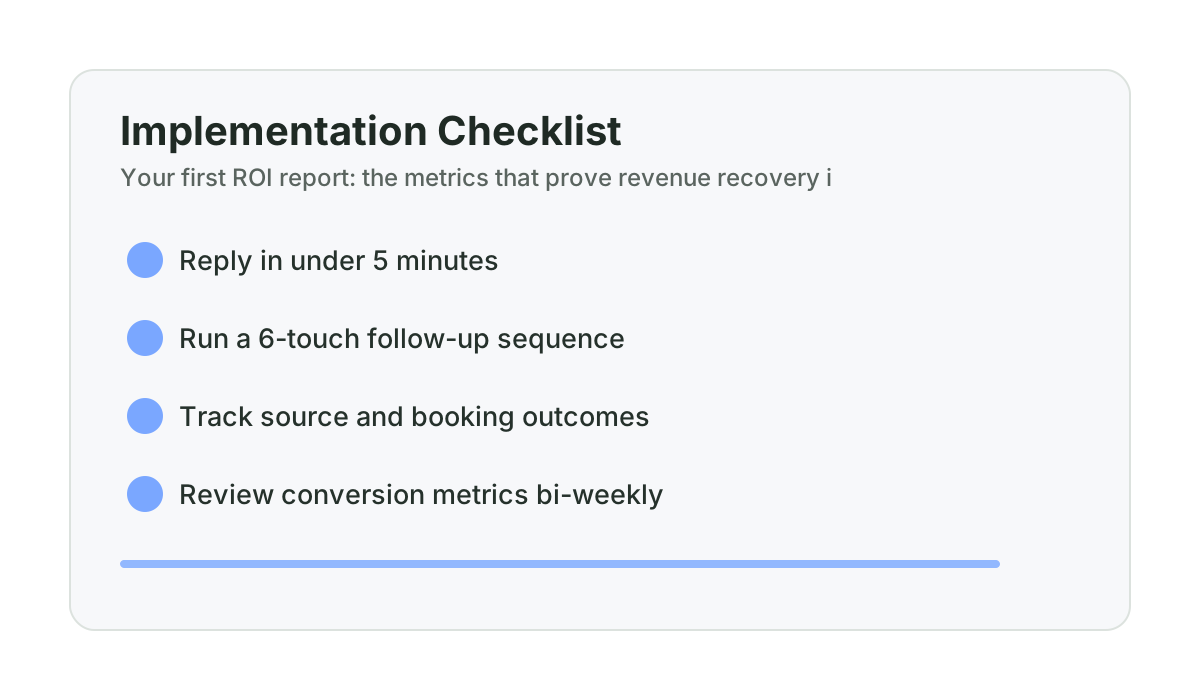
Before going live, spend two weeks tracking manually:
- How many inbound inquiries arrived (count every call, form, and message)
- How many of those converted to booked estimates
- How many estimates you sent
- How many projects you closed, and at what revenue
- How many follow-up messages you sent and what the response was
That two-week baseline — even if it is rough — gives you the comparison point that makes every subsequent report meaningful. Without it, you have data but no context. With it, you can show the delta clearly: this is what the pipeline looked like before, this is what it looks like now, this is what the difference is worth. If you want to see what that delta looks like in dollar terms, the one-project-pays ROI analysis walks through the math.
| What good looks like at 30 days | Target range |
|---|---|
| Leads captured vs. baseline | +20% to +60% (from after-hours and missed call capture) |
| Booking rate | 30%+ (up from typical 15% to 25%) |
| Follow-up touches per outstanding estimate | 4 to 6 in first 30 days |
| Follow-up response rate | 15% to 25% |
| at least 5 Qualified Lead Engagements | Defined 30-day trigger with written refund terms |
Source: ConversionSurgery guarantee definitions; all ranges in this section are directional modeling assumptions unless tied to account-level logs.
Whether you build it or buy it: the report is non-negotiable
The ConversionSurgery Revenue Recovery System includes bi-weekly performance reports as a standard part of the service. Every two weeks, we review the five core metrics, identify anything that needs attention, make adjustments to the system, and send a report the contractor can read in five minutes.
If you are building your own system — using a CRM, an answering service, and manual follow-up — you still need this report. The tools are different but the metrics are the same. What has changed in lead capture volume? What is the booking conversion rate? Are the follow-up sequences running and generating responses? What did the system close, and what is that worth?
The contractors who improve their revenue metrics consistently over time are the ones who measure those metrics consistently over time. Not once. Not when it feels like something might be off. Every two weeks, on a schedule, with enough historical data to see trends.
The math on why this matters: a contractor sending 20 estimates per month at $55,000 average project value, improving their close rate from 22% to 30% through better follow-up and lead capture, generates approximately $88,000 in additional monthly revenue. The bi-weekly report is how you know the improvement is happening, why it is happening, and where to push next.
Frequently asked questions
What five metrics should a contractor track to measure revenue recovery?
The five metrics that matter most are: leads captured (top-of-funnel volume), estimates booked (inquiry-to-appointment conversion), estimates sent (appointment-to-quote conversion), projects signed with revenue (bottom-line output), and follow-up touches sent with response rate (sequence health). These five metrics cover the entire lead-to-close funnel and make it possible to identify exactly where the system is working and where it is leaking.
How often should a contractor review their lead and sales metrics?
Bi-weekly is the right frequency for most renovation contractors. Monthly is too infrequent — a problem that starts in week one will not be visible until week four, by which point you have lost three additional weeks of leads. Weekly is more than most contractors need and creates noise. Bi-weekly provides enough data to see trends without generating unnecessary urgency around normal variation.
What is a healthy follow-up response rate for contractor estimate sequences?
A practical way to evaluate follow-up response rate is by trend direction and stage-level performance over time. If reply rates are consistently low, review message relevance, timing, and segment fit before drawing performance conclusions. Track each sequence stage separately so optimization decisions are evidence-based.
How do you calculate ROI for a revenue recovery system?
ROI for a revenue recovery system is calculated by attributing signed project revenue to system-captured leads, then dividing by the system cost. For example: if the system costs $997 per month and generates $14,700 in signed project revenue in a two-week period that is attributable to system-captured or system-nurtured leads, the period ROI model is approximately 14.7x. The key is source attribution — marking which leads came through the system so the signed revenue can be traced back accurately.
Do I need to set a baseline before starting a revenue recovery system?
Yes — without a pre-system baseline, you can measure your current numbers but you cannot prove the improvement. Spend two to four weeks tracking your current lead capture volume, booking rate, close rate, and follow-up activity before launching any system. That baseline becomes the comparison point for every report going forward. It is what turns “things feel better” into “we captured more leads than baseline and can quantify the revenue impact.”
Current guarantee structure: 30-day Proof-of-Life (5 Qualified Lead Engagements) plus a 90-day Revenue Recovery guarantee tied to at least one attributed project opportunity.
Want help applying this to your pipeline?
Use the matching diagnostic tool first, then book a quick strategy call if you want a done-for-you rollout.

Mashrur Rahman
Founder, ConversionSurgery
I build revenue recovery systems for renovation contractors. After seeing how much money remodelers lose to slow follow-up and missed calls, I built a managed service that handles lead response, estimate follow-up, and after-hours capture automatically. The data in these articles comes from running these systems across real contracting businesses.
Related reading
Alberta contractor lead report template: the “without us” line that improves retention
A practical reporting template that makes ongoing system value visible to contractor owners every two weeks.
Calgary vs Edmonton renovation conversion benchmarks: answer rate, speed, and close-rate realities
A practical city comparison to help Alberta contractors set realistic speed and conversion targets by market conditions.
How renovation contractors use Google reviews to win more estimates in Alberta
A review engine for Alberta remodelers: request timing, response templates, and GBP visibility impact on estimate bookings.