No-show to sold: the reminder and reschedule system for in-home estimates
Updated
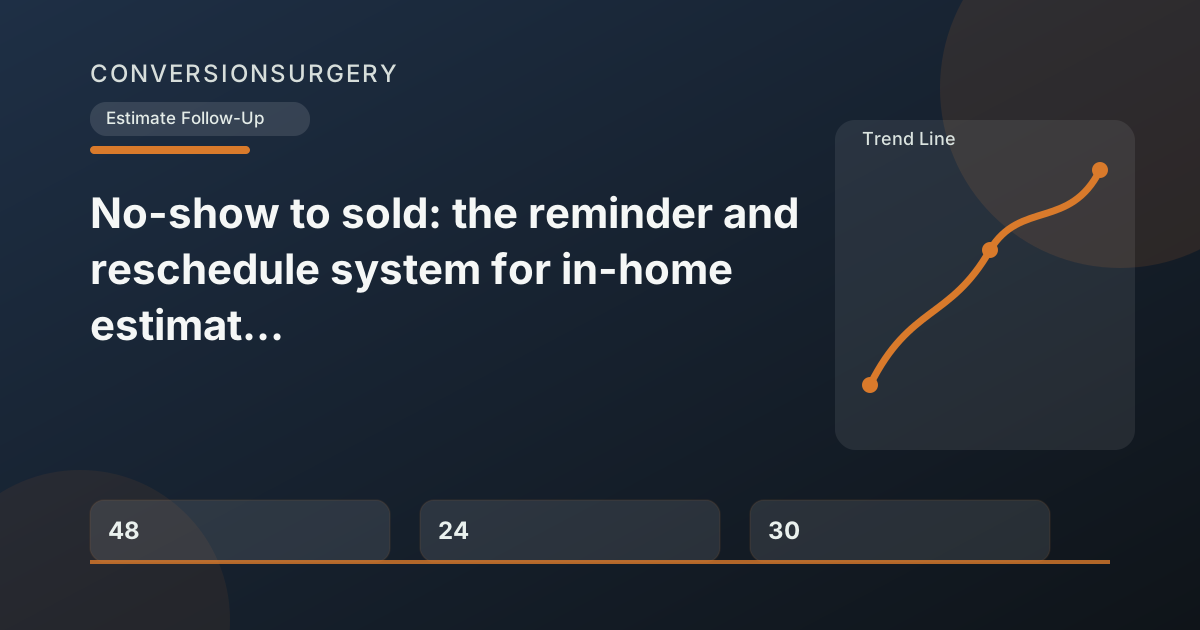
A contractor estimate no-show costs between two and four hours of billable time — the drive, the wait, the drive back, and the follow-up attempt to reschedule. Multiply that by two or three no-shows per month and you’re losing a full workday every month to appointments that should not have been missed. The fix is a three-part reminder sequence sent at 48 hours, 24 hours, and two hours before the appointment — plus a same-day reschedule script for when someone does miss. Here’s the full system, with exact messages at every step.
Key takeaways
- A three-part reminder sequence (48hr, 24hr, 2hr) reduces estimate appointment no-shows by 30-50%.
- Asking for an explicit “yes” confirmation — not just sending a passive reminder — increases show rates because it creates psychological commitment.
- When a no-show happens, send a non-judgmental recovery text within 5 minutes with two specific reschedule options (not “when are you free?”).
- Each no-show costs 2-4 hours of billable time plus the lost close probability on a $30K-$80K project.
- Ask rescheduled homeowners to send project photos before the new appointment — it re-engages them and dramatically reduces second no-shows.
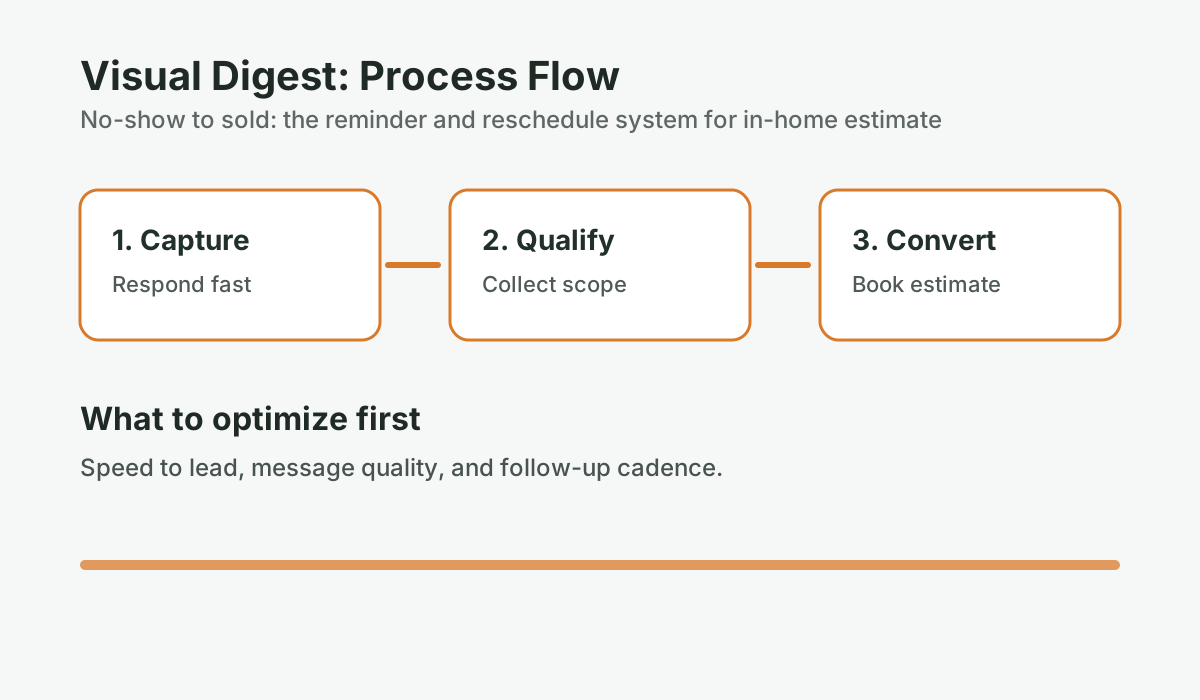
Why do estimate appointment no-shows happen — and how are they preventable?
An estimate appointment no-show occurs when a homeowner fails to be available for a scheduled in-home estimate visit, costing the contractor travel time, preparation, and momentum on the potential sale.
Homeowners who no-show for estimate appointments are rarely doing it out of disrespect. The most common reasons:
- They booked the appointment days or weeks ago and forgot about it
- Something came up at work or with their family and they didn’t have your number to cancel
- They started comparing options and felt awkward about canceling rather than just not answering
- They weren’t fully committed when they booked and didn’t feel obligated to confirm
Most of these are addressable before the appointment with a properly timed reminder sequence. According to research published by Source: Acuity Scheduling, “State of Appointment-Based Businesses,” 2023, appointment reminder sequences reduce no-show rates by 30-50% across service industries. For renovation contractors, where each in-home estimate involves real travel time and preparation, that reduction represents significant recovered productivity.
The key insight: a reminder isn’t just a courtesy — it’s a commitment confirmation. When someone responds “yes, still on” to a reminder, they’re more psychologically committed to showing up than someone who not acknowledged the appointment at all.
How the three-part reminder sequence works
| Reminder | When to Send | Channel | Primary Goal |
|---|---|---|---|
| Reminder 1 | 48 hours before | Text | Surface conflicts early, allow cancellation/reschedule without drama |
| Reminder 2 | 24 hours before | Text | Confirm the appointment is still on, request explicit acknowledgment |
| Reminder 3 | 2 hours before | Text | Final confirmation, your ETA, make it easy to cancel if something came up |
Source: Reminder timing based on appointment optimization research; Acuity Scheduling, 2023; adapted for contractor in-home estimate context
The 48-hour reminder
The 48-hour reminder is your first chance to surface any conflicts before you’ve committed to blocking the time. At 48 hours, there’s still enough time for the homeowner to reschedule without disrupting your schedule significantly.
This reminder should be warm and easy to respond to — you’re not demanding confirmation, you’re giving them an easy option to adjust if needed.
Script:
Hi [First Name], this is [Your Name] from [Company]. Just a quick reminder that we have your [project type] estimate scheduled for [Day, Date] at [Time]. Looking forward to seeing the space. If something’s come up and you need to reschedule, just reply here and we’ll find another time — no problem at all.
What this accomplishes:
- Puts the appointment back on their radar
- Makes canceling or rescheduling easy — which means you find out before you show up
- Sets a professional tone for the entire relationship
What to do with responses: If they reply to reschedule, respond quickly and get a new time locked in. If they reply to confirm, note it and continue with Reminder 2. If they don’t reply, that’s fine — proceed with the 24-hour reminder.
What happens to your estimates after you send them?
Score your estimate follow-up process. Most contractors stop after one touch. This scorecard shows where your close rate is leaking.
Run the numbers for your business: Score your estimate follow-up. It takes 2-3 minutes and gives you a clear baseline before your next estimate round.
The 24-hour reminder
The 24-hour reminder is more explicit about requesting confirmation. You’re 24 hours out — if there’s a conflict, you want to know now so you can use that time productively.
Script:
Hi [First Name], confirming your estimate appointment tomorrow, [Day] at [Time] at [Address]. I’ll plan to spend about [X] minutes walking through the space. Does that still work, or do you need to adjust the time? Just reply yes to confirm or let me know if anything’s changed.
Why ask for an explicit “yes”: Most reminder systems send messages and hope for the best. Asking for a confirmation reply — even a one-word “yes” — does two things. First, it gives you actual data: a reply confirms they got the message and are planning to be there. Second, the act of replying increases their psychological commitment to showing up. Someone who has actively confirmed an appointment is less likely to no-show than someone who passively received a reminder.
If they don’t reply to the 24-hour reminder: Send the two-hour reminder anyway. Silence at 24 hours doesn’t mean no-show — people are busy. But a non-reply at 24 hours combined with a non-reply at two hours is a strong signal that you should have a reschedule text ready to send at the time of the appointment.
The 2-hour reminder
The two-hour reminder is logistics-focused. You’re heading their way — you want them to know that, and you want to give them one last chance to avoid a wasted trip if something came up at the last minute.
Script:
Hi [First Name], heading your way for your [Time] estimate. I should arrive right around [Time]. If something’s come up, reply now and I can turn around — no stress. Otherwise, see you shortly.
The critical element: “If something’s come up, reply now and I can turn around” is not just considerate — it’s strategic. It gives someone who’s going to no-show a low-friction way to tell you, which means you hear about it before you arrive instead of after you’ve been standing on their porch for 10 minutes.
In practice, a homeowner who was planning to no-show will often reply to the two-hour message with an apology and a reschedule request. That’s a far better outcome than a no-show — you’ve preserved the relationship and the opportunity.
What to do when someone no-shows anyway
Even with a complete reminder sequence, a small percentage of appointments will still be missed. The no-show recovery protocol matters — how you handle the next 30 minutes determines whether this turns into a rescheduled appointment or a cold lead.
At the time of the appointment (no answer)
Wait five minutes past the scheduled time, then send this text:
Script:
Hi [First Name], I’m at [address] for your [Time] estimate. Knocking but no answer — did the time get mixed up? Let me know and I can come back later or tomorrow.
This is factual, non-judgmental, and gives them an easy out if there was a miscommunication. The tone matters: you’re not expressing frustration (even if you feel it), you’re just reporting what’s happening and offering a solution.
Same day, 2-4 hours after the missed appointment
If you haven’t heard back from the first message, send a follow-up that makes rescheduling dead simple.
Script:
Hi [First Name], missed you at the house today. Totally understand things come up. I have openings [specific day/time option 1] or [specific day/time option 2] this week — would either of those work? Happy to make it easy to reschedule.
Why give two specific options: “When are you free?” requires them to do scheduling work. Two specific options require only a yes or no. The conversion rate on “pick one of these two times” is significantly higher than “tell me what works for you.” This is the same principle behind effective intake forms that book estimates — reduce friction and give clear options instead of open-ended questions.
48 hours after the missed appointment
If they still haven’t responded, one more attempt before moving them to the standard estimate follow-up cadence:
Script:
Hi [First Name], following up one more time on rescheduling your [project type] estimate. I still have [Date/Time] available if that works. If the timing isn’t right or you’ve decided to go a different direction, just let me know — either way works for me.
After this, if there’s still no response, move them into the standard estimate follow-up cadence. The goal of that cadence is to eventually surface what happened — they may have gone cold for reasons unrelated to the no-show, and a properly timed follow-up at Day 7 or Day 14 might reopen the conversation.
Reschedule scripts that close, not just reschedule
A rescheduled appointment is an opportunity, not just a recovered slot. The homeowner who no-showed and then agreed to reschedule is often more committed than they were before — the experience of almost losing the appointment can crystallize their interest.
When you confirm the rescheduled appointment, add one line that advances the conversation:
Script:
Great, I’ve got you down for [Day, Date] at [Time]. Looking forward to it. Between now and then, if you have any photos of the space or a rough idea of what you’re envisioning, feel free to send them over — helps me come prepared with a better picture of the scope.
Asking them to send photos serves multiple purposes: it engages them in the project before the appointment, it gives you useful information, and it creates a small commitment — a homeowner who sends you photos is far less likely to no-show a second time.
How much do estimate no-shows actually cost contractors?
The cost of an estimate no-show includes direct time loss (2-4 hours of travel and waiting) plus the indirect revenue impact of reduced close probability when appointments are rescheduled after a disruption in momentum.
Consider a contractor who does 15 in-home estimates per month and has a 15% no-show rate — about two per month. At two hours per no-show (including travel and recovery time), that’s four hours per month and roughly 48 hours per year lost to missed appointments.
But the bigger number is the close-rate impact. If a contractor’s average project value is $45,000 and their close rate on rescheduled appointments (after a no-show) drops by even 20% due to the disruption in momentum — that’s real revenue at stake. Two missed appointments per month at a 20% drop in close probability on rescheduled bookings: roughly $18,000 per year in probable lost jobs, not counting the time cost. If you want to see how these kinds of leaks add up across your whole pipeline, the revenue leak calculator quantifies the full picture.
A consistent reminder sequence that eliminates even half the no-shows — one per month instead of two — is worth more than the few minutes it takes to set up.
For the automated version of this reminder sequence — where every booked appointment automatically triggers the 48-hour, 24-hour, and two-hour reminders without you thinking about it — the ConversionSurgery Revenue Recovery System handles all of it. The appointment goes into the calendar; the reminders go out automatically. If someone no-shows, the recovery sequence triggers the same day.
To see how this fits into the broader estimate follow-up system, read The follow-up engine: a simple cadence that revives “maybe later” estimates, or for the specific scripts at each follow-up touch, see Estimate follow-up scripts that don’t sound salesy. And if you want to see what fast initial response looks like in practice, read about the speed-to-lead SOP that keeps homeowners engaged from first contact through the estimate.
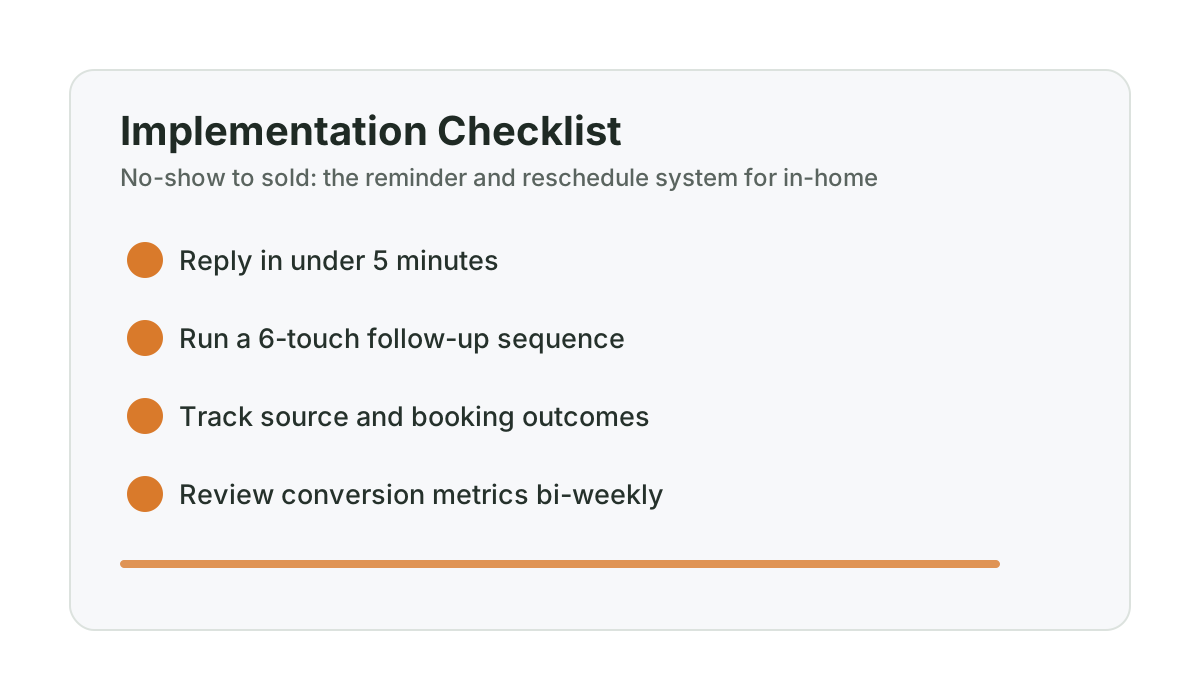
Frequently asked questions
How do I reduce no-shows for contractor estimate appointments?
A three-part reminder sequence sent at 48 hours, 24 hours, and two hours before the appointment reduces no-shows by 30-50% in service businesses. The key is making it easy for homeowners to cancel or reschedule in advance — the goal is information before you drive, not punishment after you arrive. Each reminder should include an explicit, low-friction option to adjust the time if something came up. Source: Acuity Scheduling, “State of Appointment-Based Businesses,” 2023
What should I do immediately after a contractor estimate no-show?
Send a non-judgmental text at the time of the appointment confirming you’re there and asking if the time got mixed up. Follow up two to four hours later with two specific reschedule options — not “when are you free?” but “I have Tuesday at 2 PM or Thursday at 10 AM — which works?” A 48-hour follow-up message is the final attempt before moving them to the standard estimate follow-up cadence.
Should I charge for missed estimate appointments?
For most renovation contractors, charging for missed estimates creates more friction than it’s worth — it alienates homeowners who had genuine conflicts and can generate negative reviews. A better approach is a strong reminder sequence that prevents no-shows in the first place, combined with a professional but easy reschedule process for the ones that happen anyway. Some contractors do institute a modest deposit for estimates on very large projects ($150K+) to qualify seriousness of intent.
How do I reschedule a contractor estimate appointment after a no-show?
Send a same-day recovery text with two specific appointment options and a brief acknowledgment that things come up. The message should be non-judgmental and make rescheduling as low-friction as possible. When they confirm the new time, ask them to send photos of the space before the appointment — this re-engages them in the project and dramatically reduces the chance of a second no-show.
What percentage of estimate appointments do contractors typically lose to no-shows?
No-show rates for in-home service appointments in the home improvement industry typically run 10-20% without a reminder system in place. With a structured reminder sequence, that rate typically drops to 5-10%. Source: ServiceTitan, “Home Services Benchmarks Report,” 2023 Even a 10-percentage-point improvement across 15 monthly estimates represents one to two recovered appointments per month — each with a realistic chance of becoming a $30,000-$80,000 job.
Want help applying this to your pipeline?
Use the matching diagnostic tool first, then book a quick strategy call if you want a done-for-you rollout.

Mashrur Rahman
Founder, ConversionSurgery
I build revenue recovery systems for renovation contractors. After seeing how much money remodelers lose to slow follow-up and missed calls, I built a managed service that handles lead response, estimate follow-up, and after-hours capture automatically. The data in these articles comes from running these systems across real contracting businesses.
Related reading
Dormant lead reactivation playbook for slow season (Alberta renovation edition)
Turn quiet months into booked pipeline by reactivating old estimates with a structured, non-pushy cadence.
Track follow-up like a pipeline (and stop losing quotes you already paid for)
A contractor sales pipeline has 5 stages, clear move/close rules, and 3 metrics that matter. Here’s how to stop estimates from disappearing.
Estimate follow-up scripts that don’t sound salesy
Word-for-word follow-up scripts for every touch in the estimate cadence — text, email, and voicemail — that sound helpful instead of desperate.