Estimate follow-up scripts that don’t sound salesy
Updated
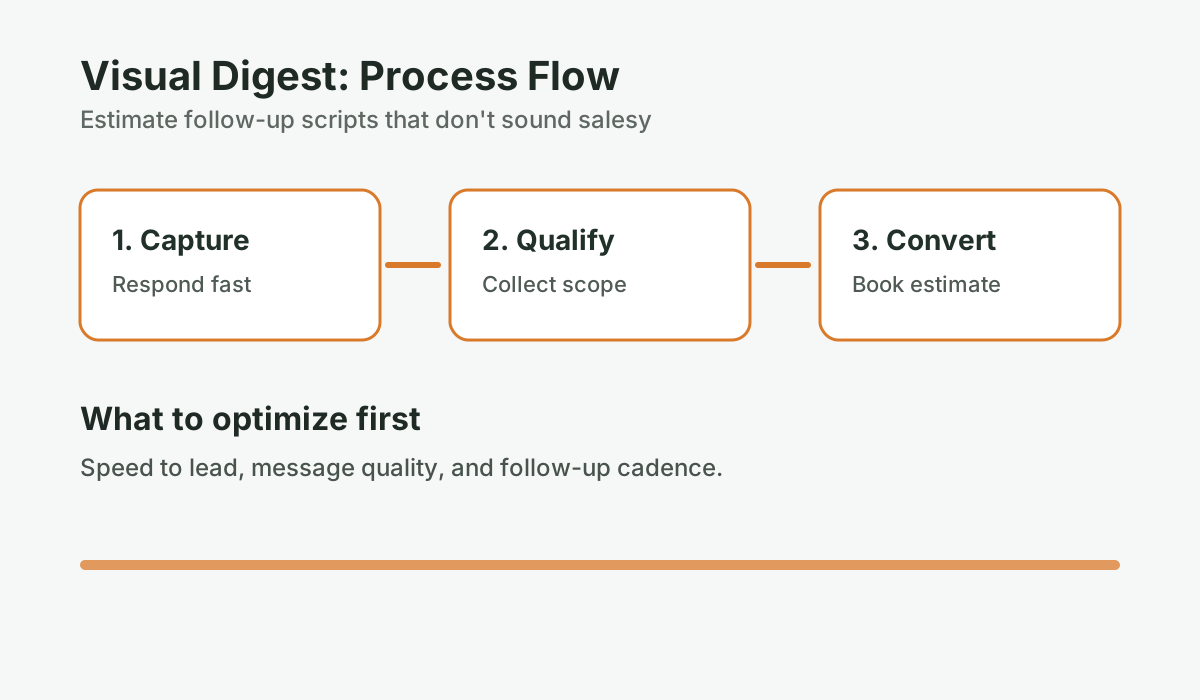
The reason most follow-up feels awkward is because it’s written from the wrong position. “Just checking in on that estimate” puts the contractor in the role of someone waiting to be chosen. It signals neediness, and homeowners can feel it. Effective follow-up is written from a position of service — you’re staying in touch because it’s useful for them, not because you need the job. Here are word-for-word scripts for every touch in the six-week follow-up cadence, built around that frame. Use them as-is or adapt them to your voice.
Key takeaways
- Write follow-up from a position of helpfulness, not urgency — homeowners can feel the difference between a contractor who wants the sale and one who wants the project to go well.
- Replace “just checking in” with a specific question, observation, or useful piece of information every single time.
- Use text for most touches (90%+ open rates), reserve email for the longer Day 14 concern-addressing message, and make calls only on Day 7 and Day 21.
- Each script below maps to a specific day in the 6-touch cadence — copy, personalize with project details, and send.
What mindset makes contractor follow-up scripts work?
Non-salesy follow-up is a communication approach where each message provides genuine value to the homeowner — a relevant detail, a useful question, or expert insight — rather than simply asking for a buying decision.
Before the scripts, one framing shift that changes everything: you’re not following up to close a sale. You’re following up because a homeowner is considering a $30,000-$80,000 project and has questions they may not know how to ask, concerns they haven’t voiced, and decisions they need help thinking through. You have information they need. Following up is part of doing your job well.
When you write from that position — from genuine helpfulness, not from urgency to close — the messages read differently. Homeowners can tell the difference between a contractor who wants the sale and a contractor who wants the project to go well. The latter is who they hire.
Research from Source: Salesforce, “State of the Connected Customer,” 2023 shows that 88% of buyers say the experience of the sales process itself influences their purchasing decision — not just the price or product. For renovation contractors, that experience starts with how you communicate during the estimate phase.
The contractor follow-up scripts: Day 1 through Day 42
Day 1 — Estimate confirmation (text, same day as sending)
This message does one job: it makes the homeowner feel like you’re attentive and accessible without applying any pressure.
Script:
Hi [First Name], I just sent over the estimate for your [project type — e.g., basement renovation]. Feel free to read through it at your own pace. If anything’s unclear or you have questions about what’s included, just reply here and I’m happy to walk through it.
Why it works: “At your own pace” removes pressure. It signals that you’re not expecting an immediate decision. The offer to walk through the estimate gives them a low-barrier way to re-engage if something confused them — which is often what stops them from moving forward.
What not to include: Don’t say “looking forward to working with you” — that assumes a decision they haven’t made. Don’t ask them to “review and get back to me” — that makes it feel like homework.
Day 3 — Value-add (text)
This message gives them a reason to re-open the estimate or reply with a question. The key is specificity — reference something real about their project.
Script (material or option variant):
Hi [First Name], one thing I wanted to flag on your estimate — I included [Material A] for the [specific element], but there’s also [Material B] that comes in about $[X] less and performs comparably. Happy to swap it in if you want to see the updated number, or I can explain the differences if it’d help with your decision.
Script (project question variant):
Hi [First Name], I was thinking about your [project type] estimate this morning. Quick question — are you planning to [relevant decision, e.g., add heated floors in this phase, or is that something for later]? It affects the scope a bit and I’d rather flag it now before you make a decision based on the current number.
Script (past project photo variant):
Hi [First Name], I finished a [similar project type] last week that’s similar in scope to yours. [Attach photo.] Thought you might like to see what the finished result looks like. Happy to show you more from the portfolio if it’d help.
Why it works: Each variant adds something to their decision-making process. You’re not asking for anything — you’re contributing useful information. That’s the contractor they want to work with.
What happens to your estimates after you send them?
Score your estimate follow-up process. Most contractors stop after one touch. This scorecard shows where your close rate is leaking.
Run the numbers for your business: Score your estimate follow-up. It takes 2-3 minutes and gives you a clear baseline before your next estimate round.
Day 7 — Scheduling window (text or call)
This is the first touch with any soft urgency, and it’s genuine urgency — your schedule is real. If you don’t have a specific slot opening up, adjust the language to be honest about your booking timeline.
Script (text version):
Hi [First Name], I have a project wrapping up around [date] and a slot that’s opening up after. If your timing aligns, I’d want to give you a heads-up before I commit it elsewhere. No rush if you’re still deciding — just didn’t want the opportunity to pass without mentioning it.
Script (voicemail version, if calling):
Hi [First Name], this is [Your Name] calling about the estimate I sent you for your [project type]. I have a project slot opening up around [date] and wanted to give you first look at it before I fill it. Give me a call back when you have a moment — [phone number] — or just reply to my text. Either works.
After no answer on a call, send this text:
Hi [First Name], tried to reach you about a scheduling question. I have a slot opening up after [date] — wanted to give you first option before it’s gone. No pressure, just letting you know.
Why it works: “First look” positions them as a preferred client, not someone being sold to. “No rush” and “no pressure” reduce friction. The message gives them a concrete reason to reply without making them feel cornered.
Day 14 — Concern-addressing email
Two weeks of silence usually means unvoiced hesitation. This email names a common concern and addresses it directly. Personalize the concern to match their project type.
Script (kitchen disruption variant):
Subject: A question I get a lot about kitchen renovations
Hi [First Name],
I’ve been thinking about your kitchen estimate and one thing I probably should have addressed when we met: what daily life looks like while the work is happening.
Kitchen renovations are the most disruptive room to renovate because the kitchen is the center of the home. Here’s how I handle it:
The first week is the demo and rough work — messiest, but goes fast. Weeks two through four involve the bulk of the install. I set up a temporary kitchen station in a nearby room during that phase. The final week is finishing and cleanup. By end of week four, you’re typically cooking again.
I’m not going to promise it’s seamless — it isn’t. But most homeowners tell me it was less disruptive than they expected. Happy to walk through the week-by-week if you want a clearer picture.
[Your Name]
Script (basement variant — focus on timeline and disruption):
Subject: One thing worth knowing about basement timelines
Hi [First Name],
A question I get from almost every homeowner considering a basement renovation: “What if it runs over budget?”
Honest answer: the biggest driver of budget creep in basements is hidden water or moisture issues that aren’t visible during the estimate walk-through. I’ve learned to flag those upfront — when I did your walk-through, [specific observation, e.g., I noticed the floor was dry and the walls showed no efflorescence, which is a good sign].
My estimates include a contingency line for exactly this reason. I’d rather build that buffer in upfront than have a surprise conversation mid-project.
Happy to talk through the estimate in detail if that would help. Just reply or give me a call.
[Your Name]
Why it works: This email demonstrates expertise and proactively addresses the concern that’s most likely keeping them from deciding. It positions you as someone who thinks ahead and communicates clearly — both qualities homeowners use to decide which contractor to trust with their home.
Day 21 — Direct check-in (text)
Three weeks in, a direct question is appropriate. This message is intentionally simple.
Script:
Hi [First Name], just circling back on the [project type] estimate. Are you still working through the decision, or has something changed on your end? No pressure either way — I just want to make sure I have your project on my radar for scheduling if it’s still moving forward.
Alternative if you want a slightly warmer tone:
Hi [First Name], I know these decisions take time, especially for a project this size. Just wanted to check in — are you still looking at moving forward, or has the timeline shifted? Happy to revisit anything in the estimate if something’s giving you pause.
Why it works: The explicit “no pressure” combined with a direct question makes it easy to respond. Many homeowners at this stage want to reply but don’t know what to say — this message gives them an easy opening.
Day 42 — Final close-out (text or email)
This is the last touch in the primary sequence. The tone is warm, non-judgmental, and leaves the door genuinely open.
Script (text version):
Hi [First Name], since I haven’t heard back, I’m going to close out your estimate file for now and stop reaching out. If the timing ever works and you want to revisit the project, I’d love to help — you have my number. Best of luck with whatever direction you go.
Script (email version, slightly expanded):
Subject: Closing out your estimate file
Hi [First Name],
It’s been a few weeks since I sent the estimate for your [project type] and I haven’t heard back, so I’ll go ahead and close out your file and stop following up.
If the timing shifts or you want to revisit the project, I’m happy to pick up where we left off. The estimate is good for [X days/months] and I can update it quickly if anything’s changed.
[Your Name]
[Phone number]
Why it works: Saying you’re stopping follow-up respects their autonomy and occasionally triggers a response from homeowners who hadn’t decided yet. The message leaves a clean, professional impression — which matters for referrals even if this particular job doesn’t close.
How to personalize these scripts without overthinking it
The specific words matter less than the underlying principle: you’re providing value at each touch, not extracting a decision. If your natural communication style is more casual, make the language more casual. If you typically write shorter texts, trim them down. The structure and purpose of each touch is what drives the result.
What doesn’t work is generic language. “Just checking in” is the single worst phrase in follow-up because it signals that you have nothing to add — you just want to know where they are on a decision. Replace it with a question, an observation, or a piece of useful information every time. If a homeowner reached out after hours and you missed the initial call, make sure your missed call recovery gets them into the estimate pipeline to begin with — the best follow-up scripts can’t help if the lead did not make it past the first contact.
For more on how to structure the overall cadence, see The follow-up engine: a simple cadence that revives “maybe later” estimates. And if you want to understand how much this is costing you in closed jobs, start with Why “we sent the quote” is where renovation sales go to die. To see what consistent follow-up looks like in real numbers, a research on reviving stale quotes through structured follow-up shows the revenue impact of applying these scripts systematically.
Frequently asked questions
What should I say when following up on an estimate without sounding desperate?
The key is to write from a position of helpfulness rather than urgency. Instead of “just checking in,” offer something specific — a relevant detail about their project, a question that helps them think through scope, or useful information about what the process looks like. When each message adds something to the homeowner’s decision-making process, you stop sounding like someone who needs the sale and start sounding like someone who knows their business.
How do I follow up without being annoying?
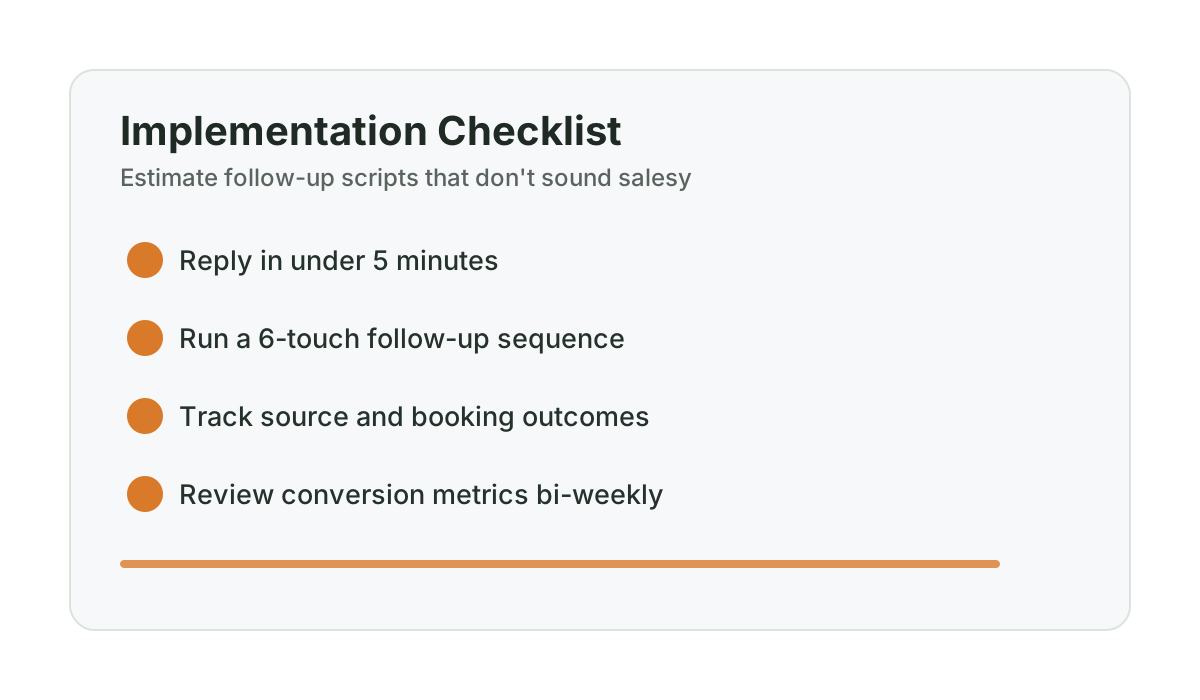
Spacing is the primary factor. Six touches over six weeks — roughly one contact every 7-10 days — is well within the range of normal business communication for a $30,000-$80,000 project. The other factor is message quality: each message should have a clear purpose beyond “do you want to hire me yet?” When follow-up is helpful and well-spaced, homeowners don’t find it annoying — most appreciate the attentiveness.
What’s the best follow-up text for a contractor estimate?
The Day 1 confirmation text is typically the most important: a brief message confirming the estimate was sent, offering to walk through any questions, and removing pressure by explicitly saying “at your own pace.” After that, the Day 3 value-add text — which references something specific to their project — is the most likely to generate a reply. Short, specific, and relevant outperforms long and generic every time.
Should I use email or text to follow up on estimates?
Text works better for most touches — open rates for business text messages run 90-98% versus 20-30% for email. Source: SimpleTexting, “SMS Marketing Statistics,” 2023 Use text for the Day 1, Day 3, Day 7, and Day 21 touches. Use email for the Day 14 concern-addressing message, which is longer and benefits from being in writing. The Day 42 close-out can go either way depending on your relationship with the homeowner.
What do I do if a homeowner says “I’ll think about it” when I follow up?
Acknowledge it directly and ask one clarifying question: “Absolutely — is there anything specific you’re working through that I can help with?” This often surfaces the real concern — financing, timing, a question about scope — that was keeping them from deciding. If they say they just need time, set a specific next contact: “I’ll check back in in a couple weeks — does that work?” Getting explicit agreement on a next touch is far more likely to keep the conversation going than a vague “I’ll follow up.”
Want help applying this to your pipeline?
Use the matching diagnostic tool first, then book a quick strategy call if you want a done-for-you rollout.

Mashrur Rahman
Founder, ConversionSurgery
I build revenue recovery systems for renovation contractors. After seeing how much money remodelers lose to slow follow-up and missed calls, I built a managed service that handles lead response, estimate follow-up, and after-hours capture automatically. The data in these articles comes from running these systems across real contracting businesses.
Related reading
Dormant lead reactivation playbook for slow season (Alberta renovation edition)
Turn quiet months into booked pipeline by reactivating old estimates with a structured, non-pushy cadence.
Track follow-up like a pipeline (and stop losing quotes you already paid for)
A contractor sales pipeline has 5 stages, clear move/close rules, and 3 metrics that matter. Here’s how to stop estimates from disappearing.
No-show to sold: the reminder and reschedule system for in-home estimates
Contractor estimate no-shows waste 2-4 hours per occurrence. A 3-part reminder sequence — 48hr, 24hr, 2hr — cuts no-shows dramatically. Here’s the system.