The 7-day speed-to-lead challenge for renovation contractors
Updated
You probably think you know how fast you respond to new leads. Most contractors are confident they’re reasonably quick — same day, within the hour, “pretty fast.” Seven days of actual tracking usually changes that answer. This challenge asks you to do one thing: measure your real response time for one week, log what you find, and identify the specific patterns behind your slowest responses. The data will tell you exactly where the revenue is leaking and what to fix first.
Key takeaways
- Self-reported response times are often faster than actual response times — a 7-day speed-to-lead challenge reveals the real number.
- Track every lead across all channels for one week: arrival time, response time, scenario, and outcome.
- Common patterns include an after-hours cliff, form submission blind spots, one-attempt follow-up, and job site response gaps.
- Pick one fix at the end of the week, implement it fully, then re-audit in 30 days to measure improvement.
Why run a 7-day speed-to-lead challenge instead of estimating?
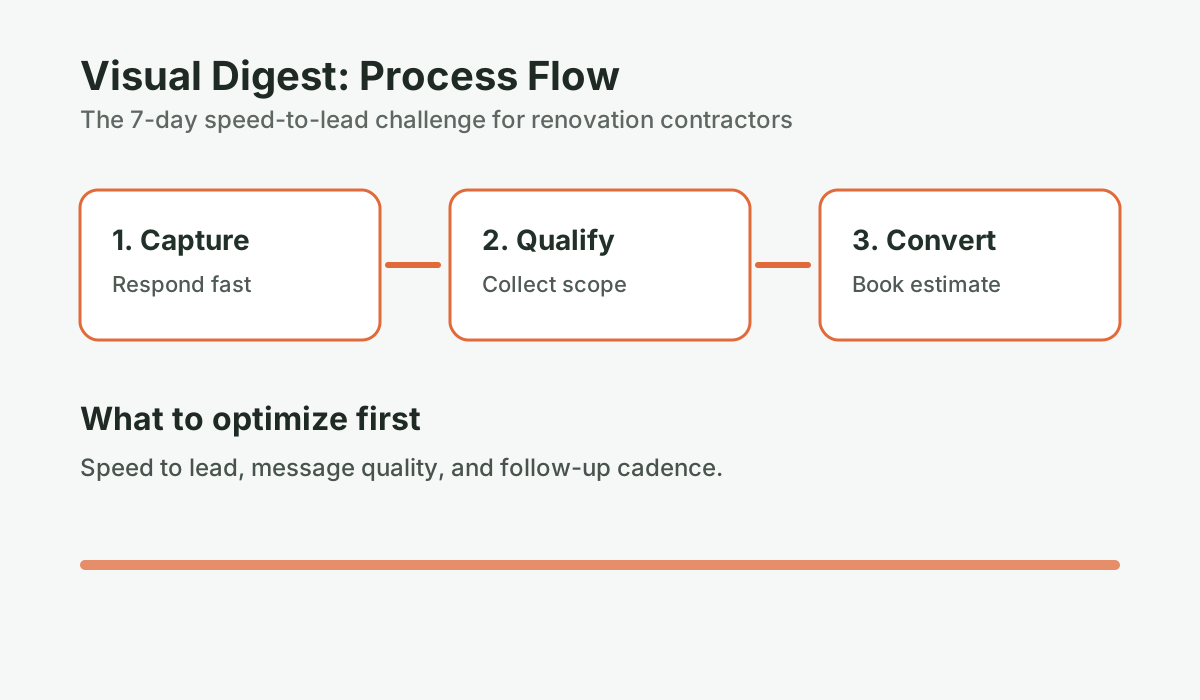
A speed-to-lead challenge is a structured 7-day self-audit where a contractor tracks the exact response time, channel, scenario, and outcome for every incoming lead. It replaces guesswork with real data and reveals the specific patterns — after-hours gaps, form delays, job site lags — that are costing revenue.
Estimating your response time from memory is not reliable. You remember the times you called back quickly — the ones that turned into jobs, the conversations that felt productive. You don’t remember the calls you forgot about until the next day, the form submissions you didn’t see until you checked your email at 9 PM, the texts that got buried under crew messages. Your mental model is built on the hits, not the misses.
The average business takes 42 hours to respond to a web lead, according to research from MIT and Harvard Business Review. Source: MIT Lead Response Management Study, 2007; Harvard Business Review, “The Short Life of Online Sales Leads,” 2011 Contractors typically respond faster — industry surveys suggest an average around 42 minutes — but even that far exceeds the 5-minute window where leads are most likely to convert. A 7-day audit reveals your real number.
Seven days is also long enough to capture different scenarios — weekday mornings when you’re in the office, busy job site afternoons, evenings when you’ve mentally clocked out, and weekends. One day of tracking misses most of these. A week captures the full picture.
What should you track during the challenge?
You need a simple log. A Google Sheet or a notes app works fine. Here are the fields to record for every lead that comes in during the 7-day window:
| Field | What to Record | Why It Matters |
|---|---|---|
| Lead ID | Sequential number (1, 2, 3…) | Reference for later review |
| Date and time received | Exact time the lead arrived (call, form, text) | Baseline for response time calculation |
| Channel | Phone call / form / text / email / referral | Identifies which channels have the worst lag |
| What you were doing | On site / in meeting / available / after hours | Identifies which scenarios cause the worst lag |
| Date and time of first response | When you actually sent a text, called back, or replied | The core metric |
| Response time (minutes) | Calculate: first response minus lead arrival | Your actual speed-to-lead number |
| Did you reach them? | Yes / No / Left voicemail | Contact rate calculation |
| Outcome | Appointment booked / follow-up needed / lost / not qualified | Connects speed to outcomes |
Don’t overthink this. Fill it out as you go — it takes 30 seconds per lead. The goal is completeness, not perfection.
How fast are you actually responding to leads?
Take the Speed-to-Lead Leak Scorecard. Five questions, three minutes. See where you stand compared to contractors who close 35%+ of their estimates.
Run the numbers for your business: Take the Speed-to-Lead Scorecard. It takes 2-3 minutes and gives you a clear baseline before your next estimate round.
The day-by-day challenge
Day 1 — Baseline setup
Before you start tracking leads, do two things:
1. Set up your log. Create your tracking sheet with the columns above. Test it by entering a fake lead so you know exactly how to fill it out when a real one arrives.
2. Write down your prediction. Before you start measuring, record your guess: what do you think your average response time is? What percentage of leads do you think you reach? What percentage book an estimate? Write the numbers down. At the end of day 7, compare them to your actual results.
This prediction step is important because the gap between predicted and actual is the insight. If you thought you were responding in 20 minutes and your actual average is 90 minutes, that tells you something specific about how your current process fails — and it creates the motivation to fix it.
Day 2 — Track everything, no excuses
Every lead that comes in gets logged. Every one. That includes the call you answered immediately, the form submission you forgot about until evening, the text you responded to right away, and the call you saw but missed during a client walkthrough. Especially the ones you’re slightly embarrassed about — those are the ones that teach you the most.
If you’re concerned about forgetting to log, set a reminder alarm every hour. When it goes off, check: did any leads arrive in the last hour? Log them.
Day 3 — Start looking for patterns
With two days of data, you can start to see patterns. Look at the “what you were doing” column. Are your slowest responses all from job site hours? Are they all from after 5 PM? Are they from a specific channel — for example, form submissions that take four hours while phone calls get answered in 20 minutes?
These patterns tell you where to focus. A contractor whose slowest responses are all from job site hours has a different problem than one whose slowest responses are all from after-hours leads. The fix is different too.
Day 4 — Test your voicemail and form setup
Call your own business number from a different phone. Listen to your voicemail. Does it prompt callers to text you? Does it give them an alternative action if they don’t want to wait? Does it sound professional and specific to your business — or is it a generic carrier greeting?
Then submit your own website contact form. Track exactly what happens: does a confirmation email arrive? When? Does it contain any useful information or just “we’ll get back to you”? How long before you get notified?
Most contractors are surprised by what they find. Common issues: form confirmation emails that go to spam, voicemail messages that don’t prompt any specific action, form submission notifications that arrive with a 15-minute delay. These are fixable in an afternoon and they compound the impact of everything else you do. Consider whether an after-hours intake form could capture more detail from these leads while you’re offline.
Day 5 — Identify your after-hours exposure
Look at the timestamp of every lead that arrived this week. How many came in between 5 PM and 9 AM? How many came in on evenings or weekends? This is your after-hours exposure — leads that arrived when you were genuinely offline.
Research consistently shows that up to 40% of renovation inquiries arrive outside standard business hours — evenings when homeowners are home from work and thinking about the kitchen they want to remodel, weekends when they have time to research contractors. Source: InsideSales.com, “Lead Response Management Study,” 2011
What was your average response time for those leads? Compare it to your business-hours response time. If the gap is significant — and it often is — that’s the clearest single opportunity in your business. The after-hours coverage ROI calculator can help you quantify whether investing in evening and weekend response would pay for itself.
Day 6 — Calculate your current conversion metrics
At this point you have enough data for a preliminary read. Calculate three numbers:
Average response time: Add all response times, divide by number of leads. Separate this into business hours and after hours.
Contact rate: Divide leads where you reached the homeowner by total leads received. Express as a percentage.
Contact-to-appointment rate: Divide leads that resulted in a booked estimate by leads where you had a real conversation. Express as a percentage.
Compare these to benchmarks. For renovation contractors:
- Average response time under 10 minutes: strong
- Contact rate above 70%: strong
- Contact-to-appointment rate above 55%: strong
For more detail on these benchmarks and what they predict, read the one KPI that predicts booked estimates.
Day 7 — Review and prioritize one fix
By day 7 you have a week of real data. Look at it and ask three questions:
- Where is the biggest gap between my predicted performance and my actual performance?
- Which scenario — available, on site, in meeting, after hours — produces my slowest response times and lowest contact rates?
- If I could fix one thing this week, what would have the largest impact on my contact rate?
Write down one action item. Just one. Trying to fix everything at once usually results in fixing nothing. One specific, implemented improvement beats a list of intentions every time.
What patterns does the speed-to-lead challenge usually reveal?
After walking through this exercise with renovation contractors, certain patterns show up consistently:
Pattern 1: The evening cliff
Business hours contact rate is 65–70%. After 5 PM, contact rate drops to 20–30%. All the after-hours leads are getting a response the next morning — by which time 60–70% have already moved on. The fix is after-hours coverage, whether manual (a family member or admin checking messages) or automated.
Pattern 2: The form submission blind spot
Phone call response time is 20 minutes. Form submission response time is 3–6 hours. The contractor answers calls reflexively but doesn’t have a system to monitor form submissions. The fix is enabling real-time form submission notifications on mobile and setting a response target.
Pattern 3: The one-attempt problem
Contact rate is 45% despite reasonable response times. The issue isn’t speed — it’s persistence. Every missed call gets one callback attempt and one voicemail. No text follows. No second attempt the next day. The fix is implementing the two-text playbook and multi-attempt follow-up sequence described in the missed call recovery playbook.
Pattern 4: The job site gap
Response time during morning office hours is under 10 minutes. Response time from 9 AM to 3 PM — job site hours — averages 90 minutes to 3 hours. The contractor is responsive before and after the job, but during it, leads fall into a gap. The fix is the job site strategy from the speed-to-lead SOP post: voicemail prompting texts, task-break check-ins, and automated text-back.
What to do with what you find
After 7 days, you’ll have a real number — your actual speed-to-lead performance. That number is more useful than anything I could tell you, because it’s specific to your business, your channels, and your operating situation.
If your average response time is under 10 minutes and your contact rate is above 65%, the biggest opportunity is probably in your SOP quality — what you say and how you move leads toward an estimate appointment. Read the speed-to-lead SOP post for the first-minute script and routing framework.
If your average response time is over 30 minutes or your after-hours leads have no coverage, that’s the fix. Manual improvements will get you part of the way there. Automation gets you the rest. To put a dollar figure on the gap, the revenue leak calculator shows exactly what slow responses are costing you each month.
The ConversionSurgery Revenue Recovery System handles the response piece automatically — monitoring around the clock, responding within seconds during legally permitted messaging hours, and queuing restricted-hour inquiries for the next compliant window — which means the 7-day challenge for contractors running the system usually shows a very different pattern: fast initial response on everything, with the constraint moving to SOP quality and estimate-to-close rather than contact rate. That’s a better problem to have.
But you don’t need a managed system to start. You need a tracking sheet and seven days of honest data. Start today.
Frequently asked questions
How do I track lead response time without a CRM?
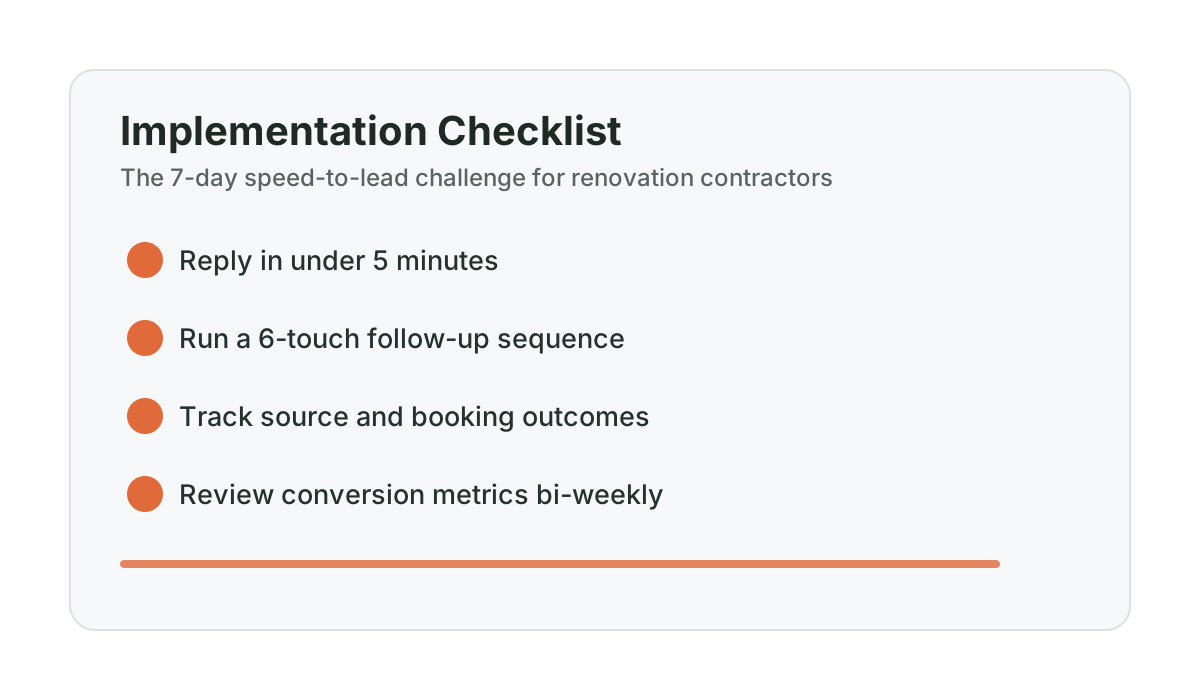
A Google Sheet is sufficient for a 7-day audit. Create columns for: lead arrival date and time, channel (phone, form, text, email), what you were doing when it arrived, your first response date and time, calculated response time in minutes, whether you reached the homeowner, and outcome. Fill it in immediately after each interaction — within 5 minutes while it’s fresh. At the end of 7 days, you’ll have enough data to calculate your average response time, contact rate, and contact-to-appointment rate. That’s the baseline for everything you improve from here.
What is a good lead response time for a renovation contractor?
Under 5 minutes is the threshold that produces significantly higher contact rates based on MIT research. Under 10 minutes is strong and achievable for most contractors with a system in place. Between 10 and 30 minutes, you’re still in a workable range, but you’re giving competitors who respond faster an opening. Beyond 30 minutes — which is where most contractors actually fall — contact rates drop substantially. Industry benchmarks indicate an average contractor response time around 42 minutes, which represents a significant competitive opportunity for contractors who can consistently respond faster.
What should I do differently after completing the 7-day challenge?
Identify the one scenario — available, on job site, in meeting, or after hours — that produces your slowest response times and lowest contact rates. Build one specific fix for that scenario first. If it’s after-hours leads, set up an automated text-back or assign after-hours monitoring. If it’s job site hours, record a better voicemail message and set task-break reminders. If it’s form submissions, enable real-time mobile notifications. Pick one fix, implement it fully, run another 7-day audit in 30 days, and measure whether the number moved.
Is 7 days enough data to be meaningful?
For contractors getting 15–40 leads per month, 7 days will capture 4–10 leads — enough to identify directional patterns, though not statistically definitive. The value isn’t in precision; it’s in seeing the actual response times and contact rates as opposed to estimated ones, and identifying which specific scenarios (after hours, job site, form submission) account for the slowest responses. Run the audit for a full month if you want more confident numbers. But 7 days is enough to find the biggest problem and build the case for fixing it.
What if my response times are already fast but my close rate is still low?
Fast response time solves the contact rate problem — it gets you into more conversations. If your contact rate is already strong (above 65–70%) but your contact-to-appointment rate or close rate is still lower than you’d like, the problem is downstream: either the quality of the conversation that leads to an estimate booking, or the quality of the estimate presentation and follow-up itself. The next pillar to investigate after speed-to-lead is the estimate follow-up system — how many touches you make after sending an estimate and over what timeframe.
Want help applying this to your pipeline?
Use the matching diagnostic tool first, then book a quick strategy call if you want a done-for-you rollout.

Mashrur Rahman
Founder, ConversionSurgery
I build revenue recovery systems for renovation contractors. After seeing how much money remodelers lose to slow follow-up and missed calls, I built a managed service that handles lead response, estimate follow-up, and after-hours capture automatically. The data in these articles comes from running these systems across real contracting businesses.
Related reading
First-response scripts for Alberta renovation contractors: what to send in the first 60 seconds
A practical 60-second response script library for missed calls, web forms, and inbound SMS in Alberta renovation markets.
Calgary renovation lead response benchmarks (2026): basement, kitchen, and bathroom contractors
Local Calgary benchmarks for response speed, answer rate, and booked estimates so you can see exactly where your pipeline is leaking.
How to build a speed-to-lead SOP when you’re on the job site
A speed-to-lead SOP for contractors defines exactly what happens to every new lead — while you’re on a ladder, in a meeting, or offline after hours. Here’s how to build one.